
AI Meal Scanning: How Accurate Is Photo-Based Calorie Counting?
You snap a photo of your lunch, and within seconds, an app tells you exactly how many calories you're about to consume. Sounds like magic—but how accurate is it really?
AI-powered meal scanning has exploded in popularity, with apps promising to eliminate the tedium of manual food logging. But if you've spent any time on Reddit fitness communities, you've probably seen the debates: some users swear by these tools, while others claim they're wildly inaccurate. So what's the truth? We dug into the research, tested the apps, and found some surprising answers.
The Promise vs. The Reality
Traditional calorie counting is exhausting. You have to weigh ingredients, search databases, calculate portions—it's the kind of friction that makes people abandon their nutrition goals within weeks. AI meal scanning promises to fix all of that with a single photo.
The technology works by analyzing images using computer vision models trained on millions of food photos. These systems identify foods, estimate portion sizes, and pull nutritional data from databases. In theory, it's brilliant. In practice? It depends heavily on which app you're using and what you're eating.
What Reddit Users Actually Experience
We analyzed hundreds of discussions across r/CICO, r/caloriecount, r/apps, and other fitness communities to understand real-world accuracy. The consensus? It's complicated.
"For common foods it does a decent job, but if there's a complex or well-prepared meal, things go out of whack fairly quickly."— Reddit user in r/Healthy_Recipes
This tracks with what we found. Simple meals—a grilled chicken breast with steamed vegetables, a basic sandwich—tend to get reasonably accurate estimates. But throw in a homemade curry, a restaurant dish with hidden oils, or anything with sauces? Accuracy drops significantly.
"Not the most accurate out of the box, but you can save scans and update the nutritional info. Once you customize it the first time, it becomes super easy to rinse and repeat your usual meals."— Reddit user in r/CICO
This highlights an important truth: the best AI calorie trackers aren't the ones that are perfect on the first scan—they're the ones that learn and improve with your corrections.
The Hidden Variables AI Can't See
Even the most sophisticated AI has fundamental limitations when analyzing food photos:
- Cooking oils and fats — A tablespoon of olive oil adds 120 calories, but it's invisible in a photo
- Sugar and seasonings — That "healthy" stir-fry might have 3 tablespoons of sugar in the sauce
- Portion depth — A bowl of pasta looks the same whether it's 200g or 400g from above
- Hidden ingredients — What's under that layer of cheese? The AI has to guess
- Food density — A packed cup of rice versus a loosely filled one can differ by 100+ calories
This is why experienced users on Reddit recommend using AI scanning as a starting point, not gospel truth. As one user put it: "I wouldn't use it primarily, but if you're at someone's house or eating out, it's a good indicator to track."
Best AI Calorie Scanning Apps in 2026
Not all AI food trackers are created equal. Some use lightweight models for speed, sacrificing accuracy. Others invest in more sophisticated analysis but take longer to process. Here's what we found after testing the top options.
1. Cal AI
Cal AI has become one of the most talked-about AI calorie counters, particularly among Reddit's fitness communities. It uses GPT-4 Vision for food analysis, which offers impressive accuracy for common meals.
- ✅ Strong recognition of standard foods
- ✅ Clean, minimalist interface
- ❌ Struggles with complex homemade dishes
- ❌ Subscription pricing can add up
2. Zwintji — AI Calorie Scanner
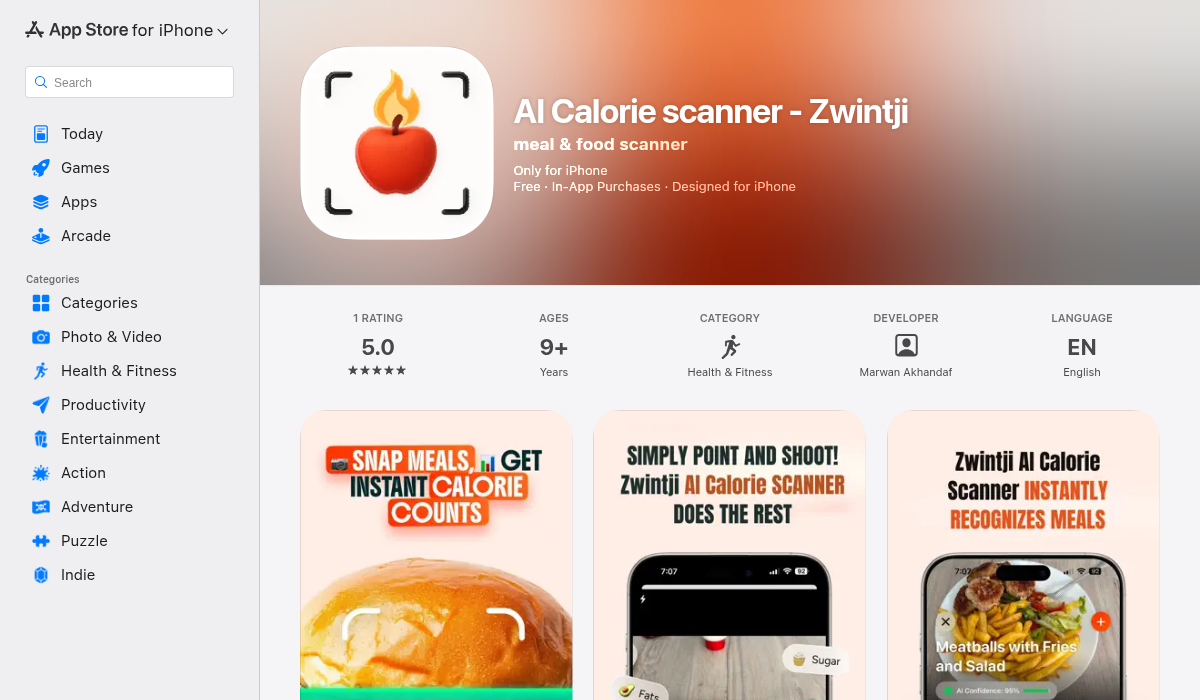
Zwintji takes a dual approach that sets it apart from most competitors. You can scan prepared meals with AI or scan packaged food barcodes for exact nutritional data. This hybrid approach solves one of the biggest accuracy problems: when you're eating packaged foods, why estimate when you can get exact numbers?
- ✅ AI meal scanning for prepared foods
- ✅ Barcode scanning for packaged products
- ✅ Ingredient recognition for mixed dishes
- ✅ Built-in workout tracking
- ✅ Personalized goals and insights
The combination of AI scanning and barcode lookup means you get the convenience of photo scanning when eating out, but the precision of database lookups when eating at home with packaged ingredients. For users who found pure AI scanning too inaccurate, this hybrid model offers a practical middle ground.
3. MyFitnessPal (with Passio AI)
The veteran calorie counter has added AI scanning powered by Passio AI. It benefits from one of the largest food databases in existence, but the AI scanning feature feels bolted on rather than integrated. Many Reddit users report sticking to manual search because the AI suggestions require too many corrections.
- ✅ Massive food database
- ✅ Strong community features
- ❌ AI scanning feels secondary
- ❌ Free tier is limited
How to Get the Most Accurate Results
Regardless of which app you choose, these strategies will improve your scanning accuracy:
- Scan before mixing — Photograph ingredients separately when possible, then combine. A salad with toppings visible scans better than one that's been tossed.
- Use good lighting — Shadows and poor lighting confuse AI models. Natural light from above works best.
- Include size reference — Some apps work better when you include something of known size (like a fork or your hand) in the frame.
- Scan packaged foods directly — Apps like Zwintji let you scan barcodes for exact data. Use this whenever possible.
- Correct and save — When the AI gets it wrong, fix it and save. Most apps learn from your corrections.
- Accept the margin of error — Even manual counting has a 10-20% error margin. AI scanning is a tool for awareness, not precision medicine.
Should You Trust AI Calorie Counting?
The honest answer: it depends on your goals.
For general health awareness — AI scanning is fantastic. It removes friction, builds awareness of what you're eating, and keeps you engaged with your nutrition goals. A 15% error on a 500-calorie meal is 75 calories—not going to derail your progress.
For strict macro tracking — You'll want to supplement AI scanning with barcode scanning (for packaged foods) and manual entry (for recipes you make often). Apps that offer both, like Zwintji, make this practical.
For eating disorder recovery — Consult with a healthcare provider before using any calorie tracking app. The gamification and numbers focus of these tools isn't appropriate for everyone.
The Bottom Line
AI meal scanning has come a long way, but it's not magic. Simple foods scan well; complex dishes remain challenging. The real winners are hybrid apps that combine AI scanning with barcode lookup and editable entries—giving you convenience when you need it and precision when it matters.
If you're tired of the tedium of manual food logging but want better accuracy than pure AI guessing, Zwintji offers a practical balance. Snap a photo of your meal at a restaurant, scan the barcode on your morning yogurt, and build a personalized database of your most common foods. It's not perfect—no app is—but it's the closest we've gotten to frictionless, accurate calorie tracking.