
AI Study Tools That Actually Work in 2026
Most AI study tools are just ChatGPT with a fancy wrapper. You paste in your notes, it spits out a summary, and you're supposed to feel productive. But real studying — the kind that actually gets information into your head — requires more than summarization.
We tested over a dozen AI-powered study tools in 2026 to find which ones genuinely help you learn, not just feel busy. The difference between a useful AI study tool and a gimmick comes down to one thing: does it create an active learning workflow, or does it just do your homework for you?
The Problem With Most AI Study Tools
The biggest complaint students have — and they're right — is that most AI study apps are either too niche or just rebranded ChatGPT.
"The biggest pain point with AI tools for school is that most are either too niche or just rebranded ChatGPT. What actually helps is something that manages multiple tasks in one place."— Reddit user in r/studytips
Here's the real issue: a tool that just summarizes your notes is actually counterproductive for learning. Research on memory and learning consistently shows that active recall (testing yourself) and spaced repetition (reviewing at optimal intervals) are far more effective than passive review. The best AI study tools should push you to engage with material, not just skim AI-generated summaries.
"The true benefit of AI starts when you make it work with you, rather than having it do the work for you."— Reddit user in r/studytips
AI Study Tools That Actually Work
1. MelonNote — The Complete AI Study System
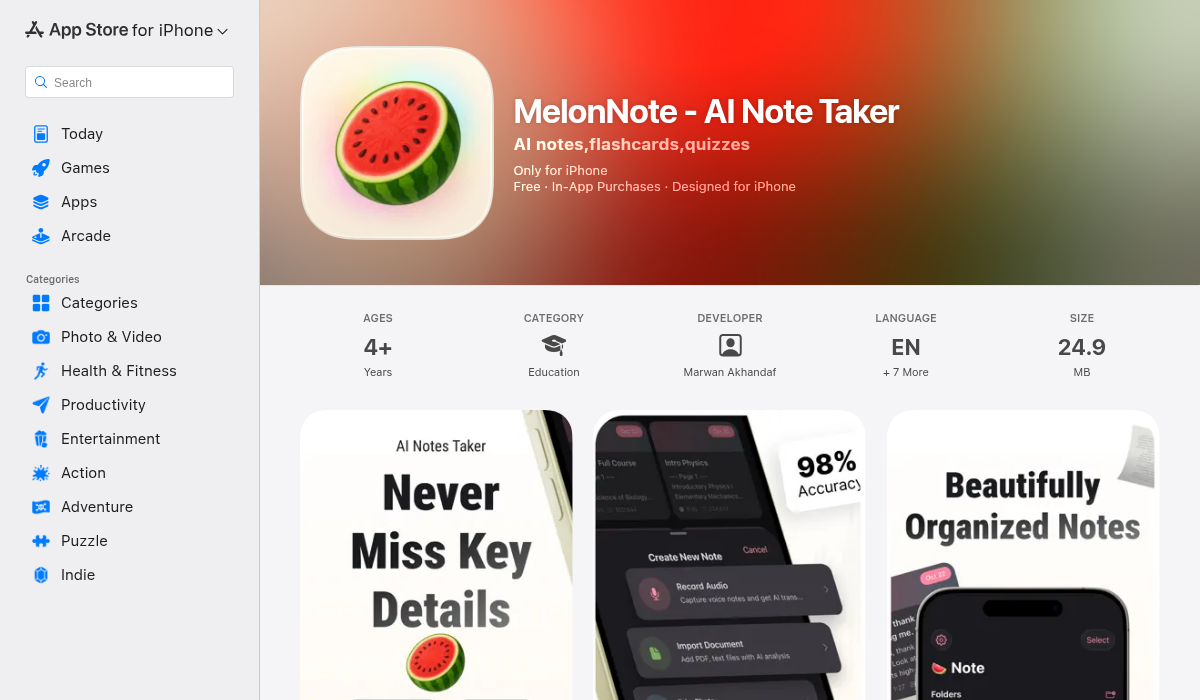
MelonNote is the rare AI study app that doesn't just summarize — it transforms your material into multiple active learning formats. Record a lecture, import a PDF, or snap a photo of a whiteboard, and MelonNote's AI generates flashcards, practice quizzes, summaries, visual infographics, and even a podcast conversation from your content.
What makes it genuinely useful:
- ✅ AI lecture transcription — Record lectures and get accurate transcripts powered by OpenAI Whisper. No more frantically typing during class.
- ✅ Auto-generated flashcards — AI identifies key concepts and creates flashcards from your notes. Saves the 2-3 hours per week most students spend making cards manually.
- ✅ AI practice quizzes — Multiple choice, true/false, fill-in-the-blank questions generated from your actual material. Tests comprehension, gives immediate feedback with explanations.
- ✅ AI tutor chat — Ask questions about your notes and get contextual answers. Like a tutor who's actually read all your study material.
- ✅ Podcast generator — This is the standout feature. MelonNote turns your notes into a two-person podcast conversation with 16+ voice options. Listen while commuting, cooking, or at the gym. No other note app does this.
- ✅ Realtime AI conversation — Have an actual voice discussion about your notes with the AI. It's like a study buddy who knows everything you've written.
- ✅ Visual summaries — AI-generated infographic-style summaries for visual learners.
- ✅ Multi-select study sets — Combine notes from multiple classes into one flashcard/quiz set for comprehensive exam prep.
Why it works: Instead of just being a passive AI summarizer, MelonNote creates an active learning loop — capture → understand → test → reinforce. The quiz and flashcard features force active recall, while the podcast feature enables passive reinforcement during downtime. That combination is backed by decades of cognitive science research.
Pricing: $3.99/month or $49.99/year. Available on iOS and Android.
2. Read Aloud — Turn Any Text Into Audio
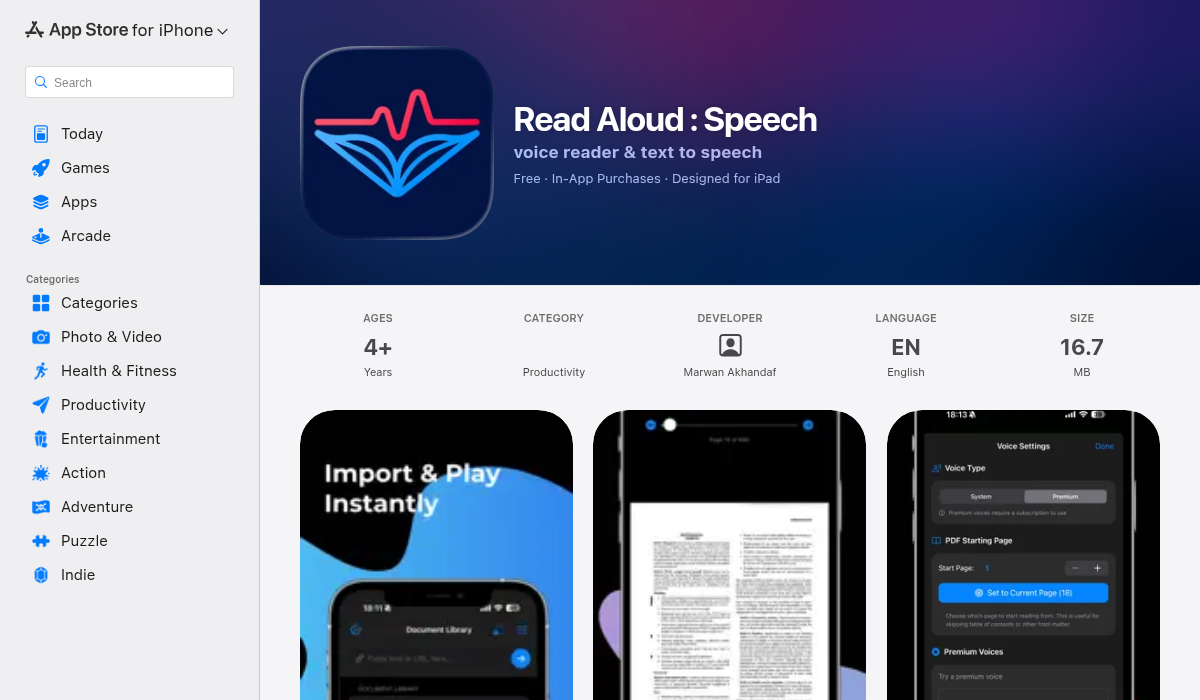
Not every student learns best by reading. Read Aloud converts text from articles, PDFs, and plain text into natural-sounding speech. Import your study material, and listen to it being read back with highlighted text so you can follow along.
- ✅ Import plain text, web articles, and PDFs
- ✅ System and premium realistic voices
- ✅ Adjustable reading speed
- ✅ Text highlighting while reading — great for focus
- ✅ Multiple themes and distraction-free mode
- ❌ Doesn't generate study materials (flashcards, quizzes)
- ❌ One-directional — reads to you, doesn't test you
Best for auditory learners who want to absorb content while multitasking. Pair it with an active recall tool like MelonNote's quizzes for a complete workflow.
3. BN Reading — Speed Reading That Actually Helps
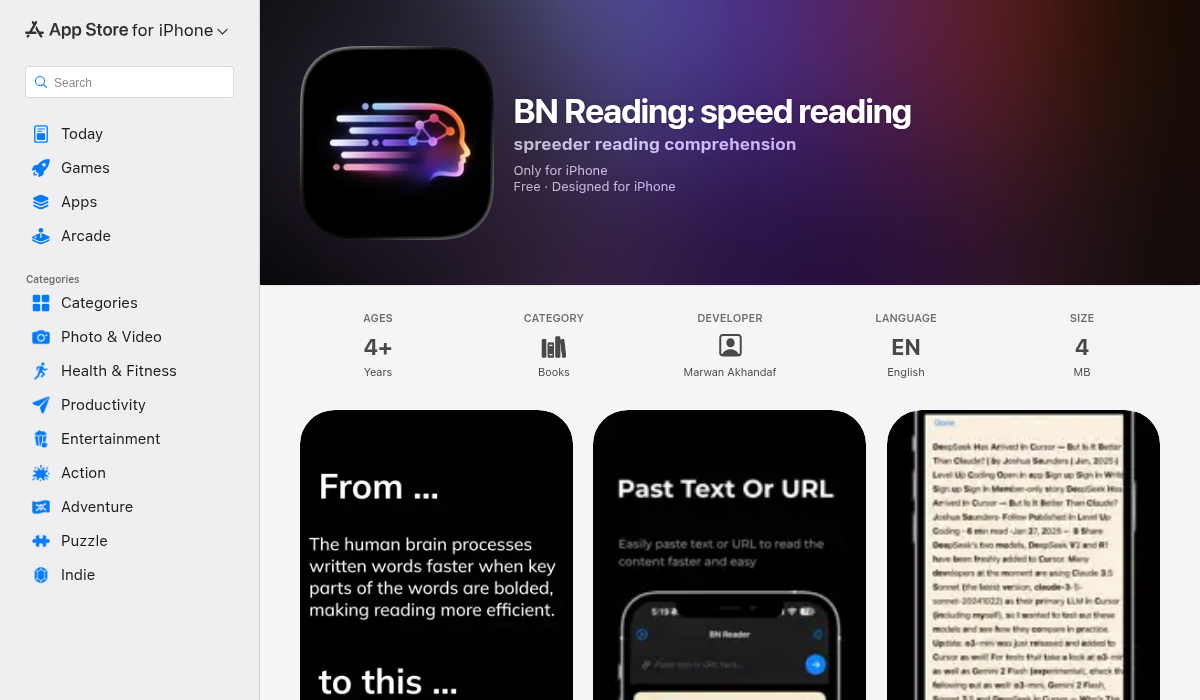
When you're staring at 400 pages of textbook before an exam, reading speed matters. BN Reading uses bionic reading — a technique that bolds the first few letters of each word to guide your eyes and increase reading speed — alongside traditional speed reading tools like word-by-word highlighting.
- ✅ Bionic reading with adjustable bold intensity
- ✅ Speed reading with word highlighting
- ✅ Custom fonts and themes
- ✅ Text file import with bookmarks
- ✅ Document management and search
- ❌ Reading enhancement only — no study features
Ideal for students who need to get through large volumes of text quickly. The bionic reading technique genuinely improves reading speed for most people — worth trying even if you're skeptical.
4. Notion AI — The Organized Student's Tool
Notion with its AI features has become popular among students who want to organize their academic life — notes, assignments, calendars, and databases all in one workspace. Notion AI can summarize pages, rewrite text, and generate content.
- ✅ Incredibly flexible organization system
- ✅ AI summarization and rewriting
- ✅ Templates for course tracking, assignments, etc.
- ❌ Not designed for active learning (no flashcards, quizzes)
- ❌ Steep learning curve — takes time to set up
- ❌ No audio recording or transcription
- ❌ AI features feel bolted on, not integrated into study workflow
"Notion AI is great for summarising lecture notes or turning messy ideas into clean study templates — but it doesn't actually help me memorize anything."— Reddit user in r/studytips
Notion is excellent for organizing your academic life, but it's not a study tool. If you're already a Notion user, keep using it for project management — but pair it with something like MelonNote for the actual studying.
5. ChatGPT / Claude — The Swiss Army Knife
General AI assistants like ChatGPT and Claude are genuinely useful for studying — explaining concepts, breaking down complex topics, generating practice questions, and acting as a sounding board for ideas. Most students already use one or both.
- ✅ Excellent at explaining complex concepts
- ✅ Can generate practice questions on demand
- ✅ Available anywhere
- ❌ No persistent note storage or organization
- ❌ No lecture recording
- ❌ No flashcard tracking or spaced repetition
- ❌ You have to manually manage everything
Think of ChatGPT and Claude as the co-pilot, not the system. They're great for on-demand help, but they don't replace a structured study workflow. Use them alongside a purpose-built tool like MelonNote.
Building an AI Study Workflow That Actually Works
The most effective approach isn't picking one tool — it's building a workflow that leverages AI at each stage of learning:
- Capture (Day 1) — Record your lecture or import your reading material into MelonNote. Let AI transcribe and organize it.
- First Pass (Same Day) — Read through the AI summary. Ask the AI tutor to clarify anything confusing. This is your initial understanding.
- Active Recall (Day 2-3) — Take the auto-generated quiz. Review flashcards. The AI has already identified the key concepts — now your job is to retrieve them from memory.
- Passive Reinforcement (Ongoing) — Listen to the podcast version during your commute. Use Read Aloud for supplementary readings. This background exposure reinforces what you've actively studied.
- Deep Practice (Before Exams) — Use multi-select study sets to combine material across lectures. Take comprehensive quizzes. Use the AI conversation feature to talk through difficult topics.
This workflow combines active recall, spaced repetition, multi-modal learning (reading, listening, testing), and AI assistance — the four pillars of effective modern studying.
What to Avoid
Not all AI study tools are worth your time. Watch out for:
- 🚫 Tools that only summarize — If all it does is make your notes shorter, it's not helping you learn. Summarization is step one, not the whole process.
- 🚫 Tools that do your homework — AI that writes your essays or answers your problem sets isn't studying — it's cheating yourself out of learning.
- 🚫 Subscription stacking — If you're paying $10/mo each for a transcription app, a flashcard app, a quiz app, and a note app, you're overpaying. Look for all-in-one solutions.
- 🚫 Complexity for its own sake — If a tool takes longer to set up than it saves you, it's not worth it. The best study tools work immediately.
The Bottom Line
AI study tools in 2026 have matured beyond the "paste text, get summary" phase. The tools that actually work — like MelonNote — create complete learning workflows that combine capturing, understanding, testing, and reinforcing material. They don't replace studying; they make every minute of studying more effective.
The best investment you can make isn't another subscription — it's finding one tool that handles the full cycle from lecture to exam, and committing to using it consistently. Your future self, three weeks before finals, will thank you.