
Best AI Note-Taking Apps for Students 2026 (Tested & Ranked)
You're sitting in a fast-paced lecture, scrambling to type while the professor blows through slides — and you know half of it won't make sense later.
That used to be the college experience. But in 2026, AI note-taking apps have completely changed the game. The best ones don't just record — they transcribe, summarize, generate flashcards, and even quiz you on the material. It's like having a study partner that never sleeps.
We tested over a dozen AI note-taking apps designed for students. Here's what actually works — and which apps are worth your time (and money).
Why Students Need AI Note-Taking in 2026
Let's be honest: traditional note-taking is broken for modern learning. Lectures move fast, online courses pile up, and most students are juggling 4-6 classes at once. By the time exam week hits, you're staring at a mess of half-finished notes, scattered PDFs, and voice memos you never listened back to.
"I record every lecture but never have time to re-listen. I need something that just gives me the key points."— Reddit user in r/NoteTaking
AI note-taking apps solve this by handling the grunt work — transcription, organization, and even study material creation — so you can focus on actually understanding the material. The difference between a B and an A is often just how efficiently you study, not how many hours you put in.
What We Looked For
Not every app that slaps "AI" on its marketing page deserves to be here. We evaluated each app based on:
- Transcription quality — Can it handle real lectures with background noise?
- Study tool generation — Does it create flashcards, quizzes, or summaries?
- Input flexibility — Audio, PDFs, photos, handwriting?
- Price for students — Because $20/month on a student budget is a no-go
- Cross-platform support — iPhone, Android, iPad, desktop?
- AI depth — Is AI a core feature or an afterthought?
The 7 Best AI Note-Taking Apps for Students in 2026
1. MelonNote — Best All-in-One Study App
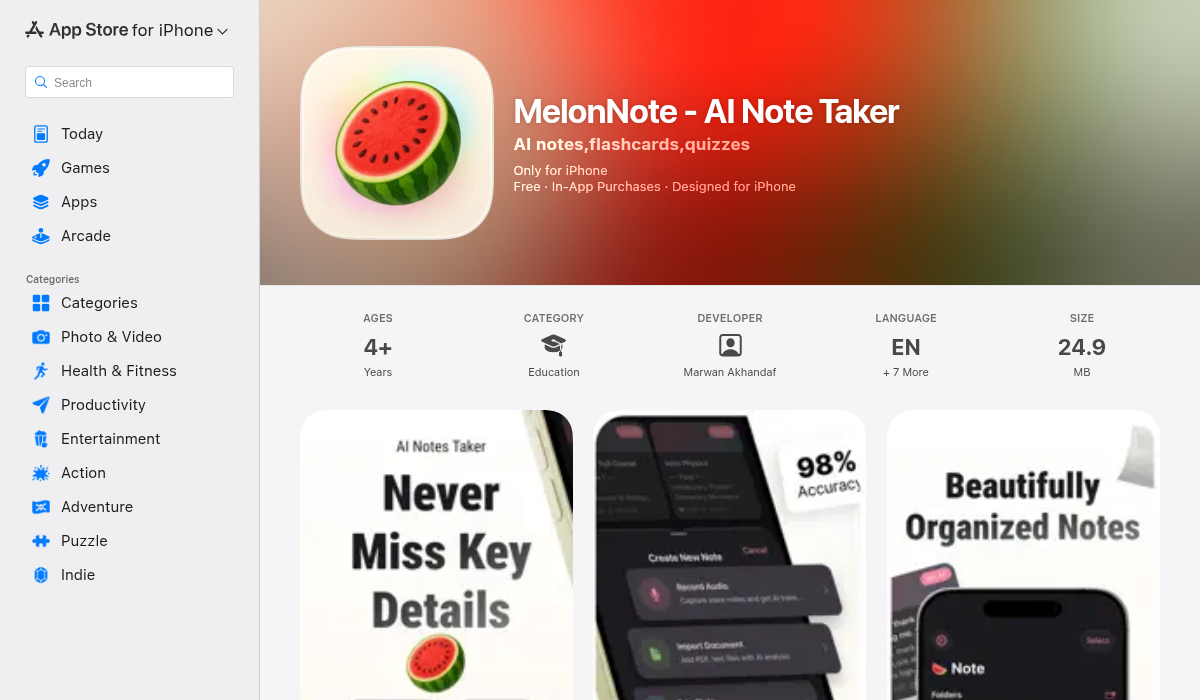
MelonNote is the app that made us rethink what a note-taking app should be. Instead of doing one thing well, it does everything a student needs — and does it well.
Record your lecture, and MelonNote transcribes it with AI-powered speech-to-text. Import a PDF of your textbook chapter, and it extracts the key content. Snap a photo of a whiteboard, and it converts the handwriting into structured notes. But here's where it gets interesting: from any of those inputs, MelonNote auto-generates summaries, flashcards, and practice quizzes.
The AI tutor chat is genuinely useful. You can ask it questions about your own notes — "What were the three causes mentioned in today's lecture?" — and it gives you contextual answers based on your actual study material. It's like having a tutor who sat through every class with you.
The multi-note exam prep feature lets you combine notes from multiple lectures into unified study sets. When finals week hits and you need to review 12 weeks of material, this is a lifesaver.
- ✅ Records lectures + AI transcription
- ✅ Auto-generates flashcards and quizzes from notes
- ✅ AI tutor that understands your specific material
- ✅ PDF import, photo-to-notes, audio — all in one app
- ✅ Cross-platform (iOS + Android)
- ✅ Only $3.99/month — most affordable in its class
- ❌ Newer app, still building out integrations
Best for: Students who want one app to replace their recorder, transcriber, flashcard maker, and study tool. The price point ($3.99/mo vs $10-20/mo for competitors) makes it a no-brainer for students on a budget.
2. NotebookLM (Google) — Best for Research-Heavy Courses
Google's NotebookLM has matured into a serious study tool. It's built on Gemini and excels at processing large volumes of source material — PDFs, Google Docs, slides, web articles — and turning them into digestible summaries, audio overviews, and study guides.
The Audio Overviews feature is genuinely clever: it generates a podcast-style summary of your uploaded materials, so you can review while walking to class or working out. For research-heavy courses where you're drowning in papers, NotebookLM is excellent at surfacing key findings and making connections across sources.
- ✅ Processes PDFs, Docs, Slides, and web content
- ✅ Audio overviews for passive review
- ✅ Deep Google ecosystem integration
- ✅ Strong at cross-referencing multiple sources
- ❌ Advanced features locked behind paid tiers
- ❌ No live lecture recording or transcription
- ❌ Best if you're already in Google's ecosystem
Best for: Graduate students and researchers working with lots of papers and documents. Less ideal for day-to-day lecture capture.
3. Notion AI — Best for Organized Students
Notion has become the Swiss Army knife of productivity, and its AI features make it even more powerful for students. You can build custom databases for each class, take structured notes with templates, and use Notion AI for summarization, brainstorming, and research assistance.
Where Notion shines is organization. If you're the type of student who color-codes everything and loves a good template, Notion is paradise. The AI can summarize long notes, answer questions about your content, and even help draft essays. It also supports multiple AI models (GPT and Claude), letting you pick what works best.
- ✅ Incredibly flexible organization system
- ✅ AI summarization, writing, and research
- ✅ Huge template library
- ✅ Great for group projects and shared workspaces
- ❌ Steep learning curve for new users
- ❌ No lecture recording or transcription
- ❌ Full AI features require Business plan ($18/month)
- ❌ Overkill for simple note-taking needs
Best for: Students who want a full productivity system. If you need lecture recording or auto-generated flashcards, look elsewhere.
4. Otter.ai — Best for Live Transcription
Otter.ai is the gold standard for real-time transcription. It captures spoken words live with speaker identification, creates searchable transcripts, and highlights key points automatically. If your primary need is getting accurate transcripts of lectures or group discussions, Otter delivers.
The mobile app works especially well in classroom settings — just set your phone on the desk and let it record. Post-lecture, you get a clean transcript with timestamps and automatic highlights.
- ✅ Best-in-class real-time transcription
- ✅ Speaker identification in group settings
- ✅ Searchable, timestamped transcripts
- ✅ Good mobile app for classroom use
- ❌ Transcription only — no flashcards, quizzes, or study tools
- ❌ Free tier limited to 300 minutes/month
- ❌ Pro plan is $16.99/month — pricey for students
Best for: Students who need accurate transcription above all else. You'll need separate tools for flashcards and quizzing.
5. Goodnotes AI — Best for Handwriters and iPad Users
If you take notes with an Apple Pencil on iPad, Goodnotes remains the best choice. Its AI features now include handwriting recognition, document scanning, and AI-powered search across all your handwritten notes. The new AI math assistant can even solve equations you write by hand.
The handwriting experience is unmatched — it feels natural, the palm rejection is excellent, and the new AI features add genuine value without disrupting the analog feel that handwriters love.
- ✅ Best handwriting experience on iPad
- ✅ AI handwriting recognition and search
- ✅ Beautiful, intuitive interface
- ✅ AI math assistant for equations
- ❌ iPad/Apple ecosystem only (no Android)
- ❌ No audio recording or AI transcription
- ❌ No auto-generated flashcards or quizzes
Best for: iPad students who prefer handwriting. Not ideal if you need audio capture or AI study tools.
6. PolarNotes AI — Best Education-First Design
PolarNotes AI is built specifically for the student workflow. It takes your class content — lectures, slides, documents — and converts it into study-ready formats like outlines, flashcards, lesson plans, and interactive quizzes. The education-first focus means every feature is designed around how students actually learn.
It also offers offline access, which is a real plus for students in areas with spotty internet or those who study on the subway.
- ✅ Purpose-built for students and teachers
- ✅ Converts content into multiple study formats
- ✅ Strong offline support
- ❌ Narrower focus may not suit all workflows
- ❌ Newer player, smaller community
Best for: Students who want a study-focused tool without the complexity of a general productivity app.
7. Evernote AI — Best for Web Research
Evernote is the veteran of note-taking, and its 2026 AI features bring new life to the platform. The web clipper remains unbeatable for saving online research, and AI now helps summarize, organize, and find connections across years of accumulated notes.
If you've been using Evernote for years, the AI upgrade makes your existing notes more useful without requiring you to switch platforms. The AI can surface relevant old notes when you're working on new material — useful for research papers and long-term projects.
- ✅ Best web clipping tool
- ✅ AI search across years of notes
- ✅ Cross-platform with solid sync
- ❌ Feels dated compared to newer apps
- ❌ No lecture recording
- ❌ Free tier increasingly limited
Best for: Long-time Evernote users and students who do heavy web research. New users might prefer a more modern option.
Quick Comparison: Which App Does What?
Here's a breakdown of the key features that matter most for students:
Lecture Recording + Transcription: MelonNote ✅, Otter.ai ✅, Others ❌
Auto Flashcard Generation: MelonNote ✅, NotebookLM ✅, PolarNotes ✅, Others ❌
Auto Quiz Generation: MelonNote ✅, NotebookLM ✅, PolarNotes ✅, Others ❌
AI Tutor / Q&A: MelonNote ✅, NotebookLM ✅, Notion AI ✅, Others ❌
PDF Import + Analysis: MelonNote ✅, NotebookLM ✅, Notion AI ✅, Evernote ✅
Photo-to-Notes: MelonNote ✅, Goodnotes ✅, Others ❌
Cross-Platform (iOS + Android): MelonNote ✅, Notion ✅, Otter.ai ✅, Evernote ✅
Under $5/month: MelonNote ✅ ($3.99), Others mostly $10-20+
What Real Students Are Saying
The note-taking app space has exploded on Reddit and student forums. Here's what keeps coming up:
"I used to use Otter for transcription and Anki for flashcards and Notion for organizing. Now I'm looking for one app that does everything so I'm not copy-pasting between three tools."— Reddit user in r/NoteTaking
This "app consolidation" trend is real. Students are tired of juggling multiple subscriptions and workflows. The apps that combine recording, transcription, summarization, and active study tools into one place are winning — and for good reason. Switching between apps doesn't just cost money; it costs time and mental energy you'd rather spend studying.
"Honestly the biggest game-changer for me was auto-generated flashcards from my lecture recordings. I used to spend 2 hours making them manually."— Reddit user in r/college
Pro Tips for Getting the Most Out of AI Note-Taking
- Record everything, review selectively — Let the AI capture the full lecture. Use summaries to identify what needs deeper review. Don't waste time re-listening to the whole thing.
- Combine inputs for richer notes — Import the professor's slides (PDF) AND record the lecture. When the AI has both, the summaries and flashcards are significantly better because it captures context the slides miss.
- Test yourself early and often — Auto-generated quizzes aren't just for exam week. Take a quick quiz after each lecture to identify gaps while the material is fresh. Spaced repetition beats cramming every time.
- Use the AI tutor for confusion, not shortcuts — When a concept doesn't click, ask the AI tutor to explain it differently. It's far more useful than just asking it to "summarize the lecture" — you need active engagement for real learning.
- Organize by exam, not by date — Group your notes by what will be tested together, not chronologically. This makes study sets infinitely more useful during review week.
The Bottom Line
The best AI note-taking app for you depends on your workflow. But here's how we'd break it down:
- Want one app for everything? → MelonNote — Records, transcribes, summarizes, makes flashcards and quizzes, has an AI tutor, and costs less than a coffee. It's the closest thing to a complete study companion we've found.
- Drowning in research papers? → NotebookLM — Google's research powerhouse that makes sense of massive document collections.
- Love organizing everything your way? → Notion AI — The ultimate customizable workspace, if you're willing to invest the setup time.
- Need perfect transcription? → Otter.ai — When accuracy matters most and you'll handle study tools separately.
- Prefer handwriting on iPad? → Goodnotes — Still the best pen-to-screen experience, now with AI.
For most students, especially those on a budget who want to stop juggling five different apps, MelonNote is the smartest starting point. It won't do everything — no app does — but it covers the full study loop from lecture to exam, and at $3.99/month, it's hard to argue with the value.
Your notes deserve better than a half-filled notebook collecting dust. Give your study workflow an upgrade — your GPA will thank you.