
Best AI Transcription Apps for Students 2026
You're sitting in a packed lecture hall, the professor is flying through slides, and your hand can't keep up. Sound familiar? In 2026, AI transcription apps have completely changed how students capture and study lecture content — but not all of them are worth your time (or money).
We tested the most popular AI transcription apps on real university lectures — long, messy, multi-accent recordings — to find out which ones actually deliver. Whether you need a simple transcript or a full study workflow, here's what works and what doesn't.
Why Students Need AI Transcription in 2026
The old way of studying — frantically scribbling notes while trying to listen — is broken. Research consistently shows that students who record and review lectures retain significantly more information than those relying solely on handwritten notes.
But raw recordings aren't enough. A two-hour audio file sitting on your phone is useless if you never go back to it. That's where AI transcription apps come in: they turn spoken words into searchable, reviewable text you can actually study from.
"Currently in uni and struggling to keep up with the professors talking in lectures. I had just tried out Otter AI to transcribe the lecture audio..."— Reddit user in r/AskAcademia
The problem? Most transcription apps stop at the transcript. You still need to manually create flashcards, summaries, and study materials from that text. The best apps in 2026 go further — turning your recordings into complete study tools.
What We Looked For
We evaluated each app on five criteria that actually matter for students:
- Transcription accuracy — How well does it handle accents, technical jargon, and fast speech?
- Study features — Does it go beyond transcription with summaries, flashcards, or quizzes?
- Ease of use — Can you start recording in under 5 seconds?
- Price — Is it affordable on a student budget?
- Platform support — Does it work on both iOS and Android?
Best AI Transcription Apps for Students — Compared
1. Otter.ai
Otter.ai is the name most students hear first when looking for transcription. It's been around for years and does one thing well: real-time transcription with speaker identification.
What's good:
- ✅ Real-time transcription with speaker labels
- ✅ OtterPilot can join Zoom/Google Meet calls automatically
- ✅ Searchable transcripts with highlights
- ✅ Collaborative — share transcripts with classmates
Where it falls short:
- ❌ Free plan is very limited (300 minutes/month, 30 min per conversation)
- ❌ Pro plan is $16.99/month — steep for students
- ❌ No flashcard or quiz generation
- ❌ No PDF import or photo-to-notes
- ❌ Transcription-only — you still need other apps for studying
"If you're just looking for accurate transcription, tools like Vomo AI are worth checking out — it handles long recordings well, separates speakers, and even breaks things into chapters and summaries."— Reddit user in r/transcribe
Otter is solid for transcription, but in 2026 students need more than just a transcript. At $16.99/month, you're paying a premium for a single feature.
2. Notta
Notta positions itself as an Otter alternative with better multilingual support. It transcribes in 58 languages and offers AI summaries of your recordings.
What's good:
- ✅ 58-language transcription — great for international students
- ✅ AI-generated summaries and action items
- ✅ Real-time transcription during meetings
- ✅ Web, desktop, and mobile apps
Where it falls short:
- ❌ Free plan limited to 120 minutes/month
- ❌ Pro starts at $14.99/month
- ❌ No flashcard or quiz generation
- ❌ More meeting-focused than student-focused
- ❌ No note-taking beyond transcription
Notta is a capable transcription tool, especially if you attend lectures in multiple languages. But like Otter, it stops at the transcript — there's no study workflow built in.
3. Turboscribe
Turboscribe gained popularity on Reddit for its generous free tier and accuracy. It uses OpenAI's Whisper model for transcription, which means excellent accuracy across accents and technical terms.
What's good:
- ✅ Whisper-powered accuracy (one of the best engines available)
- ✅ Handles long recordings well
- ✅ Affordable premium plans
- ✅ Speaker identification
Where it falls short:
- ❌ Web-only — no dedicated mobile app
- ❌ No real-time transcription (upload only)
- ❌ No study features (flashcards, quizzes, summaries)
- ❌ No note organization
Turboscribe is great if you just need an accurate transcript file. But for students who want to actually study from their recordings, you'll need additional apps.
4. MelonNote — AI Note Taker
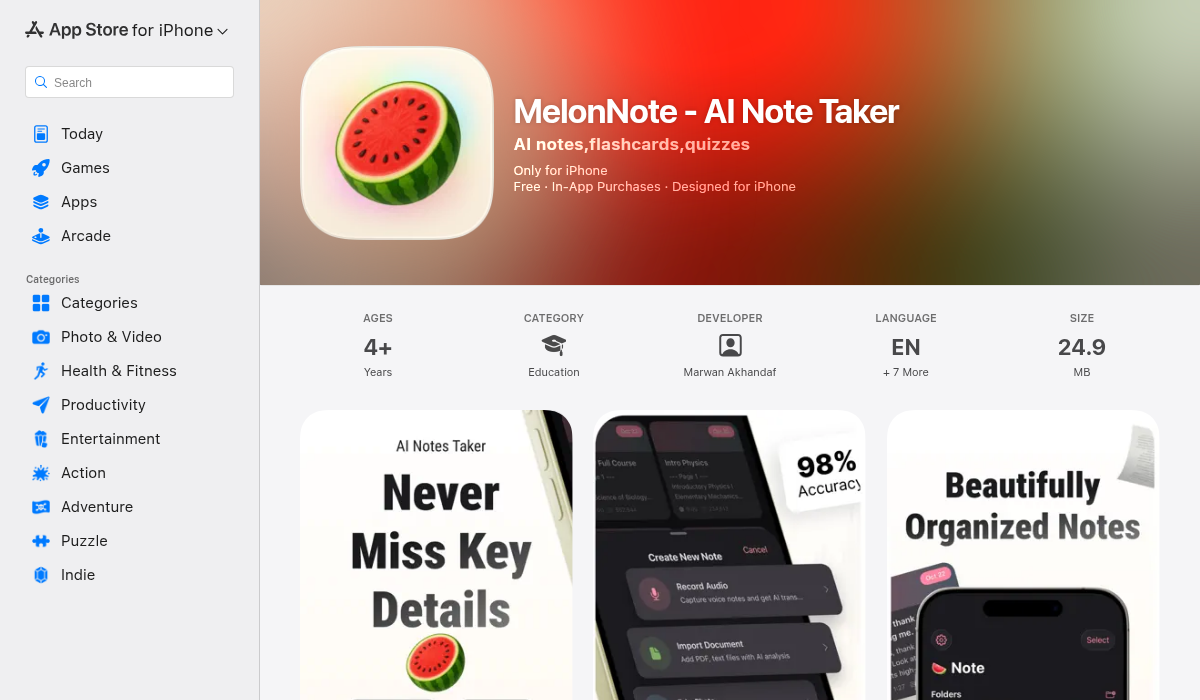
MelonNote takes a fundamentally different approach. Instead of being a transcription app that bolted on extras, it's a complete AI study app where transcription is just the starting point.
Here's the workflow: record your lecture → get an AI transcript → auto-generate a summary → create flashcards → take a practice quiz → ask the AI tutor questions — all without leaving the app.
What's good:
- ✅ Lecture recording with AI transcription (OpenAI Whisper)
- ✅ Auto-generated summaries from transcripts
- ✅ AI flashcard generator — creates cards from your notes automatically
- ✅ AI quiz generator — MCQ, true/false, fill-in-the-blank
- ✅ AI tutor chat — ask questions about your lecture content
- ✅ AI podcast generator — turns notes into a listenable podcast conversation
- ✅ Realtime AI conversation ("Converse") — talk through material with an AI study buddy
- ✅ PDF import and photo-to-notes (snap whiteboards)
- ✅ Visual summary generation for visual learners
- ✅ Both iOS and Android
- ✅ $3.99/month (most affordable in category)
Where it falls short:
- ❌ No real-time live transcription (records first, then transcribes)
- ❌ Free tier limited to 2 notes
- ❌ No cloud sync between devices yet
The standout feature? The AI podcast generator. You can turn any lecture transcript into a two-person podcast conversation, then listen to it while commuting or working out. No other transcription or note app does this. The Realtime AI Conversation feature is equally unique — it's like having a study buddy who's read all your notes and can discuss them with you.
At $3.99/month, MelonNote costs less than a quarter of Otter's Pro plan while offering significantly more study features.
Quick Comparison Table
Here's how the top options stack up on the features that matter most to students:
- Otter.ai — Transcription: ✅ | Summaries: ✅ | Flashcards: ❌ | Quizzes: ❌ | AI Tutor: ❌ | Podcast: ❌ | Price: $16.99/mo
- Notta — Transcription: ✅ | Summaries: ✅ | Flashcards: ❌ | Quizzes: ❌ | AI Tutor: ❌ | Podcast: ❌ | Price: $14.99/mo
- Turboscribe — Transcription: ✅ | Summaries: ❌ | Flashcards: ❌ | Quizzes: ❌ | AI Tutor: ❌ | Podcast: ❌ | Price: $10/mo
- MelonNote — Transcription: ✅ | Summaries: ✅ | Flashcards: ✅ | Quizzes: ✅ | AI Tutor: ✅ | Podcast: ✅ | Price: $3.99/mo
Pro Tips for Getting the Most from AI Transcription
- Sit closer to the front — AI transcription accuracy drops significantly with background noise. Sitting closer means cleaner audio and better transcripts.
- Use an external microphone — Even a cheap clip-on mic dramatically improves transcription quality compared to your phone's built-in mic.
- Review transcripts the same day — Research on the "forgetting curve" shows you lose up to 70% of new information within 24 hours. Review transcripts while the lecture is still fresh.
- Generate flashcards immediately — If your app supports auto-flashcard generation, do it right after class. The sooner you start active recall, the better you retain information.
- Listen to AI podcasts during dead time — If you use MelonNote's podcast feature, generate a podcast from your lecture notes and listen while commuting, exercising, or doing chores. It's passive studying that actually works.
The Bottom Line
If you just need a transcript and nothing else, Otter.ai and Notta are reliable choices — but they come with premium price tags. Turboscribe offers great accuracy at a lower price, though it's web-only.
For students who want the complete package — record, transcribe, summarize, flashcards, quizzes, AI tutor, and even a podcast version of your notes — MelonNote is the clear winner. It replaces five or six separate apps at a fraction of the cost, and features like the AI podcast generator and realtime AI conversation are genuinely unique.
The best transcription app isn't the one with the most accurate transcript — it's the one that helps you actually learn from it.