
Best Apps for Creating Flashcards from Voice Recordings (2026)
You sit through a 2-hour lecture, absorb everything — then realize you have no idea how to turn that audio into study material.
This is the modern student's dilemma. We've traded handwritten notes for voice memos and lecture recordings, but the gap between "I recorded it" and "I can actually study from it" remains frustratingly wide. Creating flashcards from recorded lectures used to mean hours of manual transcription, copying key points, and formatting cards one by one. In 2026, that's no longer necessary — the right apps can transform voice recordings into ready-to-study flashcards automatically.
The Voice Recording Problem Every Student Faces
Recording lectures and voice notes has become second nature. Your phone is always ready, and capturing audio feels effortless. But then what? The recording sits in your files, a digital promise you might never keep. Medical students, law students, language learners — anyone who relies on audio content knows the struggle.
The traditional workflow looks something like this: listen to the recording, pause every few seconds, type out what you heard, identify key terms, create flashcards manually, then organize them into decks. For a single hour of lecture content, you might spend three to four hours just preparing study materials. That's time you could spend actually learning.
"I record every lecture but never go back to them because turning audio into usable notes takes forever. I need something that does the heavy lifting for me."— College student, online study forum
The frustration is universal. You want to capture information in the moment without sacrificing study efficiency later. And increasingly, AI-powered apps are solving exactly this problem.
What to Look for in Voice-to-Flashcard Apps
Not all study apps handle voice recordings equally. When evaluating your options, consider these key features:
- Accurate transcription — The app needs to convert speech to text reliably, including technical vocabulary and accented speech
- AI-powered flashcard generation — Automatically extracting key concepts saves hours of manual work
- Editing flexibility — Even the best AI needs occasional corrections
- Organization tools — Folders, tags, and deck management keep materials structured
- Cross-platform access — Your flashcards should be available wherever you study
With these criteria in mind, let's look at the best options available right now.
Best Apps for Creating Flashcards from Voice Recordings (2026)
1. Anki
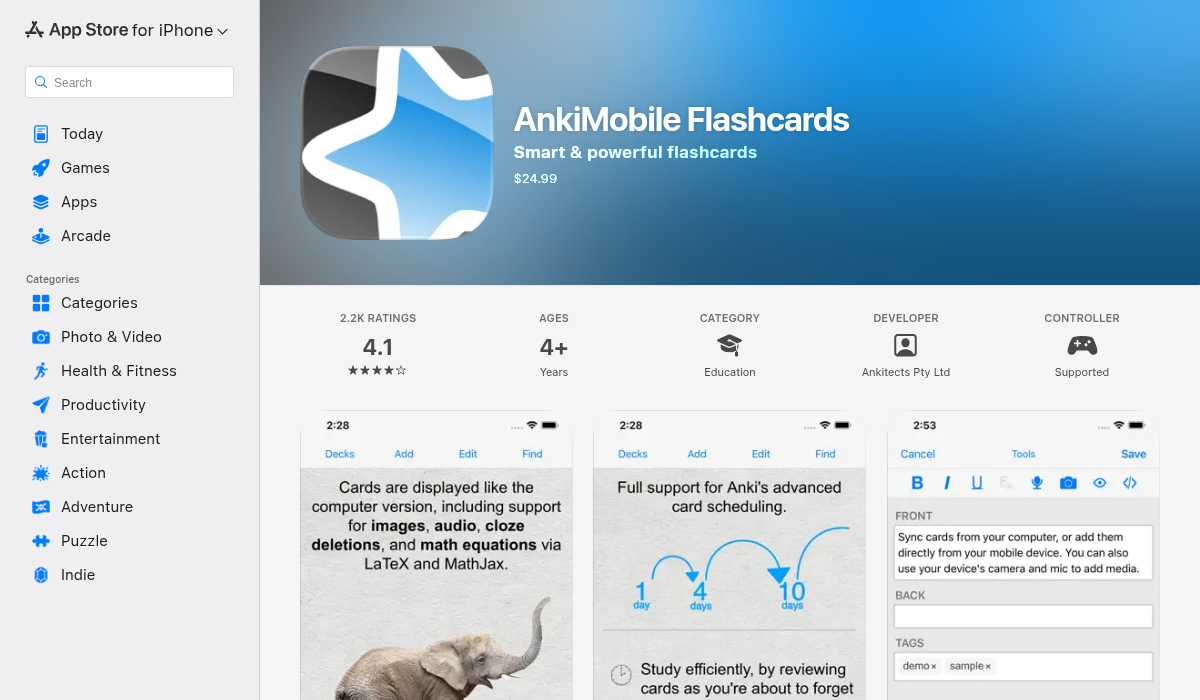
Anki is the veteran of flashcard apps, beloved by medical students and language learners for its powerful spaced repetition algorithm. It's incredibly customizable and has a massive community creating shared decks.
However, Anki wasn't designed for voice input. There's no built-in recording or transcription feature — you'd need to record elsewhere, transcribe manually (or with another tool), then import cards into Anki. This multi-step process works but requires significant extra effort.
- ✅ Best-in-class spaced repetition algorithm
- ✅ Huge library of community-shared decks
- ✅ Extremely customizable
- ❌ No voice recording or transcription
- ❌ Steep learning curve for new users
- ❌ iOS app costs $24.99 (Android is free)
2. Quizlet
Quizlet offers a more approachable interface than Anki, with multiple study modes including flashcards, learn mode, and practice tests. It's particularly popular among high school and college students.
Recent updates have added some AI features, including Q-Chat for asking questions about your sets. However, creating cards from voice recordings still isn't a native feature. You'd need to transcribe audio separately before importing content.
- ✅ Clean, beginner-friendly interface
- ✅ Multiple study modes (learn, test, match)
- ✅ Large database of shared flashcard sets
- ❌ No voice recording to flashcard conversion
- ❌ Premium features require subscription ($7.99/month)
- ❌ Limited offline functionality on free tier
3. MelonNote – The Voice-to-Flashcard Solution
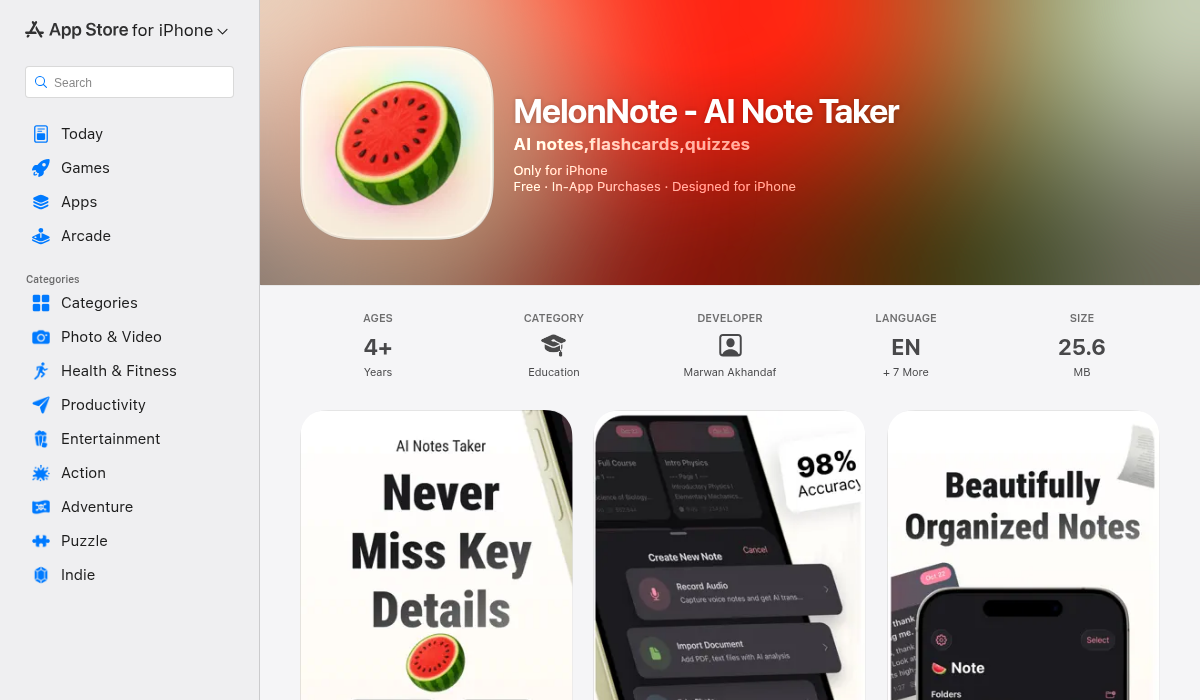
MelonNote is designed specifically for the voice-to-study-material workflow that other apps treat as an afterthought. Record a lecture directly in the app, and AI transcription (powered by OpenAI Whisper) converts your audio into searchable text. From there, one tap generates flashcards automatically — the AI identifies key concepts, definitions, and question-worthy content.
What sets MelonNote apart is that flashcards aren't the end of the line. The same recording can generate practice quizzes (multiple choice, true/false, fill-in-the-blank), summaries, and even AI podcast episodes that discuss your content. There's also an AI tutor chat where you can ask questions about your notes.
The app handles multiple input types beyond voice: import PDFs with automatic text extraction, or snap photos of whiteboards and handwritten notes for AI analysis. Everything feeds into the same flashcard generation system.
- ✅ Direct voice recording with AI transcription
- ✅ One-tap flashcard generation from any note
- ✅ Also generates quizzes, summaries, and podcasts
- ✅ AI tutor chat for asking questions about your material
- ✅ PDF and photo import with AI analysis
- ✅ Cross-platform (iOS and Android)
- ✅ Affordable ($3.99/month vs $10–20 competitors)
- ❌ Doesn't have Anki's spaced repetition depth
- ❌ Smaller community (newer app)
4. Otter.ai + Manual Export
Otter.ai excels at live transcription and is popular for meetings and lectures. The transcription quality is excellent, and it can identify different speakers. However, turning those transcripts into flashcards requires exporting text and manually creating cards in another app — there's no native flashcard feature.
- ✅ Excellent real-time transcription
- ✅ Speaker identification
- ✅ Good for meetings and interviews
- ❌ No flashcard creation built-in
- ❌ Requires second app for study materials
- ❌ Premium is $16.99/month
5. Notion AI + Manual Workflow
Notion has become a popular note-taking platform, and Notion AI can help summarize content and extract key points. Some students record audio separately, transcribe it, paste into Notion, then use AI to help create flashcard-style content. It works, but the process is fragmented and Notion itself doesn't have a native flashcard study mode.
- ✅ Powerful organization and database features
- ✅ AI can help extract key concepts
- ❌ No voice recording integration
- ❌ No native flashcard study mode
- ❌ Requires workarounds for spaced repetition
How the Voice-to-Flashcard Workflow Actually Works
Using MelonNote as an example, here's what the modern workflow looks like:
- Record your lecture — Open the app, hit record, and capture the entire session. You can pause and resume as needed.
- AI transcription processes automatically — When you stop recording, OpenAI Whisper converts speech to text. Technical terms, multiple languages, and accented speech are handled well.
- Review and edit the transcript — The text appears as a note you can refine if needed.
- Generate flashcards with one tap — The AI analyzes your content and creates question-answer pairs focusing on key concepts, definitions, and important details.
- Study immediately — No exporting, no switching apps. Your flashcards are ready.
The same note can also generate quizzes for practice testing, summaries for quick review, or even a podcast episode if you prefer audio-based revision.
Pro Tips for Voice-to-Flashcard Success
- Position your phone strategically — Closer to the speaker means cleaner audio and better transcription accuracy. Front-row seats pay off.
- Record in a quiet environment when possible — Background noise affects transcription quality. If you're recording yourself, find a quiet space.
- Review AI-generated cards — AI does the heavy lifting, but a quick review catches occasional errors and helps reinforce the material before you even start studying.
- Combine with active recall — Don't just flip through cards passively. Try to recall the answer before checking, even if you struggle at first.
- Use multiple outputs — If your app offers quizzes and summaries alongside flashcards, use them. Different study modes reinforce memory through varied retrieval practice.
Which App Should You Choose?
It depends on your priority:
- If you want the best spaced repetition algorithm and don't mind manual transcription: Anki
- If you want simple flashcards with minimal setup and already have transcripts: Quizlet
- If you want voice-to-flashcard in one app with AI handling the work: MelonNote
- If you primarily need transcription and will build cards elsewhere: Otter.ai
For most students who record lectures and want flashcards without the manual busywork, MelonNote's all-in-one approach makes the most sense. Record, transcribe, and generate study materials in a single workflow — no app-switching, no copy-pasting, no formatting headaches.
The Bottom Line
Creating flashcards from voice recordings used to be a multi-hour chore involving separate apps for recording, transcription, and card creation. In 2026, AI has collapsed that workflow into minutes. The key is choosing an app designed for this use case from the start.
Traditional tools like Anki and Quizlet remain powerful for flashcard study, but they weren't built for voice input. If you're recording lectures or voice notes and want instant study materials, apps that integrate recording, transcription, and AI-powered flashcard generation — like MelonNote — eliminate the friction that keeps most recordings from ever becoming useful study tools.
Your voice recordings deserve to be more than archived audio files. The right app turns them into active learning material — automatically.