
Best CGM Compatible Nutrition Apps 2026
Continuous glucose monitors (CGMs) have revolutionized how we understand our bodies' response to food. But a CGM alone only tells you half the story — you need a nutrition app that can connect the dots between what you eat and how your blood sugar responds.
In 2026, the CGM market has exploded beyond diabetes management into the mainstream wellness space. Whether you're managing diabetes, prediabetes, or just optimizing your metabolic health, pairing your CGM with the right nutrition app makes all the difference.
Here's our guide to the best CGM-compatible nutrition apps that actually help you understand and improve your glucose response.
Why CGM + Food Logging Matters
A CGM shows you real-time glucose data — but without knowing what you ate, those spikes and crashes are meaningless data points. When you combine glucose monitoring with food logging, you unlock powerful insights:
- Identify trigger foods — See exactly which meals spike your blood sugar
- Optimize meal timing — Learn when your body handles carbs best
- Test food combinations — Discover how protein and fat moderate glucose response
- Track long-term patterns — Understand how sleep, stress, and exercise affect your levels
The challenge is finding apps that actually integrate with CGM data while providing useful food logging. Many apps do one or the other well, but few excel at both.
Understanding CGM Compatibility
Before diving into apps, it's important to understand how CGM integration works:
- Direct integration — App pulls glucose data directly from CGM manufacturer's API
- Apple Health sync — Uses Apple Health as a bridge between CGM and nutrition app
- Manual logging — You enter glucose readings yourself (least convenient)
Direct integration provides the best experience, but Apple Health sync works well for most use cases and opens up more app choices.
Best CGM-Compatible Nutrition Apps in 2026
1. FreeStyle LibreLink
If you use a FreeStyle Libre CGM, the official LibreLink app is your starting point. It provides real-time glucose readings and basic food logging, all in one interface.
- ✅ Seamless integration with Libre sensors
- ✅ Scan-to-read glucose anytime
- ✅ Built-in food and insulin logging
- ✅ Reports for sharing with healthcare providers
- ❌ Food logging is basic — no barcode scanning
- ❌ Limited nutritional analysis
- ❌ Libre sensors only
LibreLink works well as a glucose tracker but lacks the sophisticated nutrition features of dedicated food logging apps. Most users pair it with a separate nutrition app.
2. Nutrisense
Nutrisense pairs CGM hardware with an app designed for metabolic health optimization. It's aimed at the wellness market rather than diabetes management, though it works for both.
- ✅ CGM included with subscription
- ✅ Dietitian access for personalized guidance
- ✅ Food logging with glucose correlation
- ✅ Insights on how foods affect your glucose
- ❌ Expensive subscription model
- ❌ Must use their CGM program
Nutrisense is ideal if you want a complete package with professional support, but the cost puts it out of reach for many users.
3. Signos
Signos focuses specifically on weight management through glucose optimization. The app analyzes your CGM data, meal logs, and workout history to provide personalized recommendations.
- ✅ AI-powered meal and activity suggestions
- ✅ Personalized based on your glucose patterns
- ✅ Weight loss focused approach
- ❌ Requires their CGM subscription
- ❌ US market primarily
4. Glucose Buddy
A long-time favorite in the diabetes community, Glucose Buddy tracks blood sugar, insulin, weight, blood pressure, exercise, and meals. The premium version adds trend graphs and Dexcom integration.
- ✅ Comprehensive health tracking
- ✅ Dexcom CGM integration
- ✅ Automatic A1C calculator (premium)
- ✅ Free version available
- ❌ Interface feels dated
- ❌ Limited AI features
5. SNAQ
SNAQ is specifically designed for people with diabetes who want to track carbs, protein, and fat through meal photos. It uses AI to analyze food pictures and estimate nutritional content.
- ✅ Photo-based food logging
- ✅ Carb counting focus
- ✅ Designed for diabetes management
- ✅ Learning tool for glucose impact
- ❌ Limited CGM integration
6. Gluroo
Gluroo stands out for collaborative diabetes management. Multiple people — caregivers, parents, partners — can monitor glucose and log meals together.
- ✅ Multi-user collaborative tracking
- ✅ Real-time sharing with caregivers
- ✅ Combined glucose and food logging
- ❌ More complex setup
- ❌ Designed for Type 1 primarily
The Standalone Approach: Pairing Apps Together
Many CGM users get the best results by using two apps together — their CGM's official app for glucose data, plus a dedicated nutrition app for food logging. Both sync to Apple Health, creating a unified health picture.
This approach works well with apps like Zwintji, which focuses on AI-powered meal scanning. You can scan your meals with Zwintji to get detailed nutritional breakdowns including calories, carbs, protein, and fat — then view how those meals affected your glucose in your CGM app.
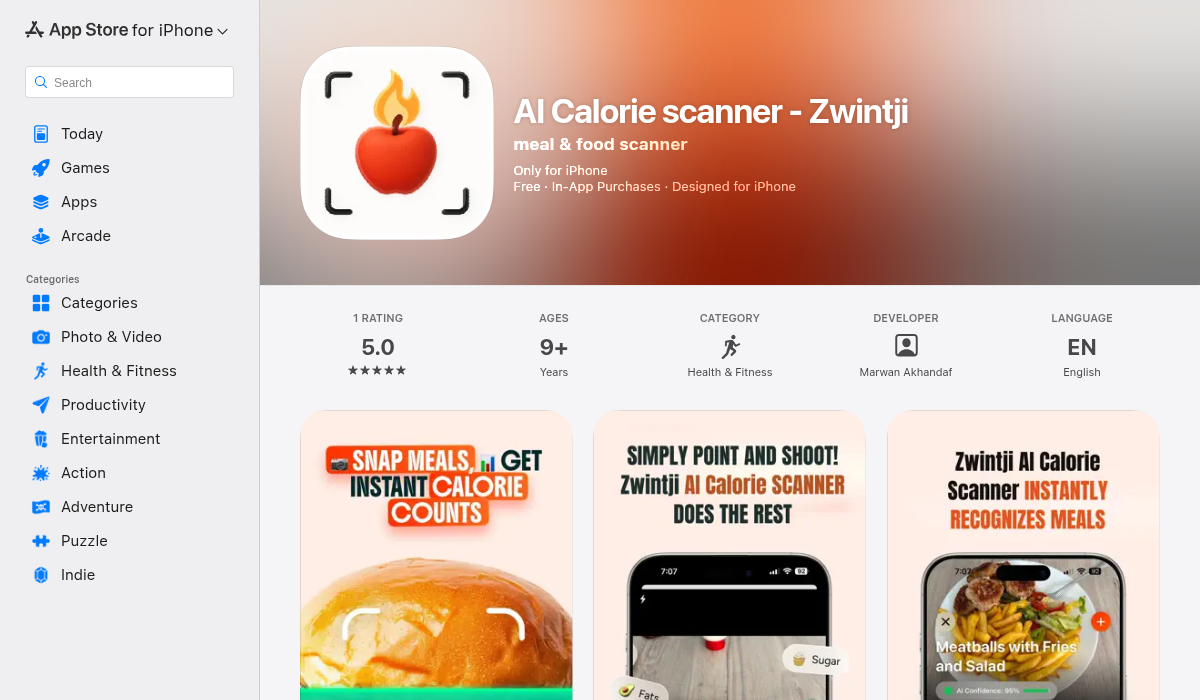
Zwintji's ingredient recognition is particularly useful for CGM users because it breaks down complex meals into components — helping you identify exactly which part of your meal caused that glucose spike.
Choosing the Right App for Your Needs
For Type 1 Diabetes
Look for apps with insulin dose tracking, carb counting, and integration with your specific CGM (Dexcom, Libre, Medtronic). Glucose Buddy and Gluroo are strong choices.
For Type 2 Diabetes
Focus on food logging with carb awareness and trend analysis. LibreLink paired with a nutrition app works well.
For Metabolic Health Optimization
If you're non-diabetic using CGM for wellness, apps like Nutrisense and Signos are designed for your use case — though they're pricier.
For Budget-Conscious Users
Use your CGM's official app for glucose, pair it with a free nutrition tracker, and sync through Apple Health. Add an AI scanner like Zwintji for quick meal logging.
Key Features to Look For
- Direct CGM sync — Automatic glucose data import saves time
- Barcode scanning — Essential for packaged food accuracy
- AI meal scanning — Speeds up logging for restaurant and home-cooked meals
- Correlation analysis — Shows how specific foods affect your glucose
- Exportable reports — Useful for healthcare provider visits
- Apple Health integration — Enables data sharing between apps
The Bottom Line
The best CGM-compatible nutrition app depends on your specific situation. If you're managing diabetes, prioritize apps with insulin tracking and established CGM integrations like Glucose Buddy. For wellness optimization, Nutrisense and Signos offer premium experiences with personalized guidance.
For most users, the practical approach is combining your CGM's official app with a strong food logging app. Using Apple Health as a bridge between apps gives you flexibility to choose the best tools for each job.
If you find manual food logging tedious, AI-powered scanners like Zwintji can dramatically speed up the process — just point your camera at any meal and get instant nutritional breakdowns. Pair that with your CGM data, and you'll finally have the complete picture of how food affects your body.