
Best Invoice Apps for Freelancers 2026: Complete Guide
Getting paid shouldn't be the hardest part of freelancing — but for many independent workers, chasing invoices feels like a second job.
Whether you're a graphic designer billing your latest project, a consultant sending monthly retainers, or a contractor tracking job expenses, having the right invoicing app can mean the difference between steady cash flow and endless payment delays. In 2026, the options have evolved beyond simple PDF generators — we're now looking at apps that track expenses, manage clients, and even help with tax prep.
We researched the most popular invoice apps, read through countless Reddit threads, and tested several options to bring you this comprehensive guide. Here's what actually works for freelancers this year.
Why Freelancers Struggle With Invoicing
The freelance economy is booming, but the administrative burden that comes with it remains one of the biggest pain points. You finished the work. Now you need to create a professional invoice, track whether it's been paid, follow up on late payments, and somehow keep records for tax time — all while trying to focus on your actual craft.
"Google Docs templates + Wave invoicing is honestly all you need to start. The reality is most contract management tools are subscription because they bundle e-signatures and CRM features."— Reddit user in r/freelance
This sentiment captures what many freelancers feel: they want simplicity without being locked into expensive subscriptions. The challenge is finding that balance between "powerful enough" and "not overwhelming."
Common invoicing frustrations we found in our research:
- Subscription fatigue — paying monthly for basic invoice creation
- Bloated features — needing just invoices but getting full accounting suites
- Poor mobile experience — unable to invoice from a job site or coffee shop
- Limited customization — invoices that look generic or unprofessional
- No expense tracking — having to use separate apps for different financial tasks
What to Look For in a Freelance Invoice App
Not all invoicing apps are created equal, and what works for a large agency might be overkill for a solo consultant. Here's what matters most for individual freelancers:
Professional Templates
Your invoice is often the last impression you leave on a client. A clean, professional design with your logo and branding builds trust and makes you look established — even if you're working from your spare bedroom.
Mobile-First Design
Freelancers aren't sitting at desks all day. The best invoice apps let you create and send invoices from your phone, right after finishing a job. Waiting until you get home to invoice often means delayed payments.
Expense Tracking
If you can track expenses in the same app where you create invoices, tax season becomes infinitely easier. Look for apps that let you photograph receipts and categorize expenses.
Client Management
Storing client details means faster invoice creation. Instead of entering addresses each time, you select a client and everything auto-populates.
Reasonable Pricing
Many freelancers we surveyed specifically wanted to avoid subscription models. One-time purchases or generous free tiers are highly valued in this space.
Best Invoice Apps for Freelancers in 2026
We evaluated the top options based on features, ease of use, pricing, and real user feedback. Here's our breakdown:
1. Wave — Best Free Option
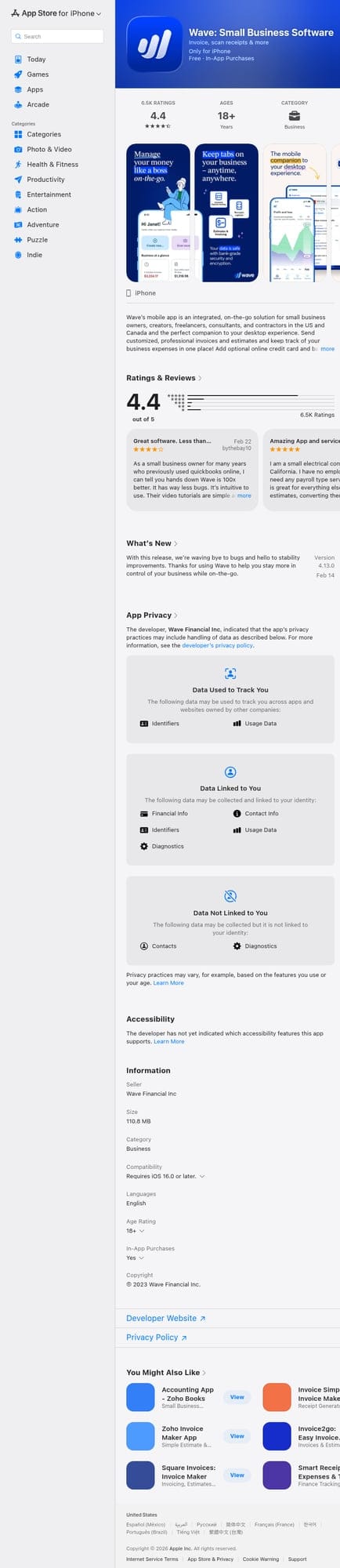
Wave has been the go-to recommendation in freelance communities for years, and for good reason. Their core invoicing features are completely free — you only pay when you accept credit card payments through their platform.
The app handles unlimited invoicing, client management, and even basic accounting. It syncs between web and mobile, so you can start an invoice on your laptop and send it from your phone.
- ✅ Free core features — no subscription required
- ✅ Full accounting integration
- ✅ iOS and Android apps
- ✅ Established company with long track record
- ❌ Payment processing fees for credit cards
- ❌ Can feel overwhelming if you just want simple invoicing
- ❌ Requires account creation and data lives in their cloud
Best for: Freelancers who want a complete free solution and don't mind the complexity of a full accounting suite.
2. Invoice Ninja — Best Open Source
Invoice Ninja offers a powerful free tier with up to 100 clients, unlimited invoices, and multiple payment gateway integrations. What sets it apart is that it's open source — if you're technical, you can even self-host it.
The platform includes time tracking, project management, and expense tracking. It's feature-rich but maintains a relatively clean interface.
- ✅ Generous free tier
- ✅ Open source and self-hostable
- ✅ Great for agencies and multiple clients
- ✅ Strong automation features
- ❌ Mobile apps less polished than competitors
- ❌ Self-hosting requires technical knowledge
Best for: Tech-savvy freelancers and small agencies who want control over their data and powerful automation.
3. Invoice Fly — Best Clean Interface
Invoice Fly focuses on simplicity without sacrificing professionalism. The app has a clean, modern design that makes creating invoices feel effortless. It's particularly popular with trades and service businesses.
Features include project tracking, automated reminders, and professional templates. They offer both monthly plans and a free invoice generator for basic needs.
- ✅ Beautiful, intuitive interface
- ✅ Project tracking included
- ✅ Strong mobile app experience
- ❌ Paid plans required for full features
- ❌ Newer platform — smaller user base
Best for: Service businesses and contractors who prioritize a smooth mobile experience.
4. Invoice Creator — Best for iPhone Simplicity
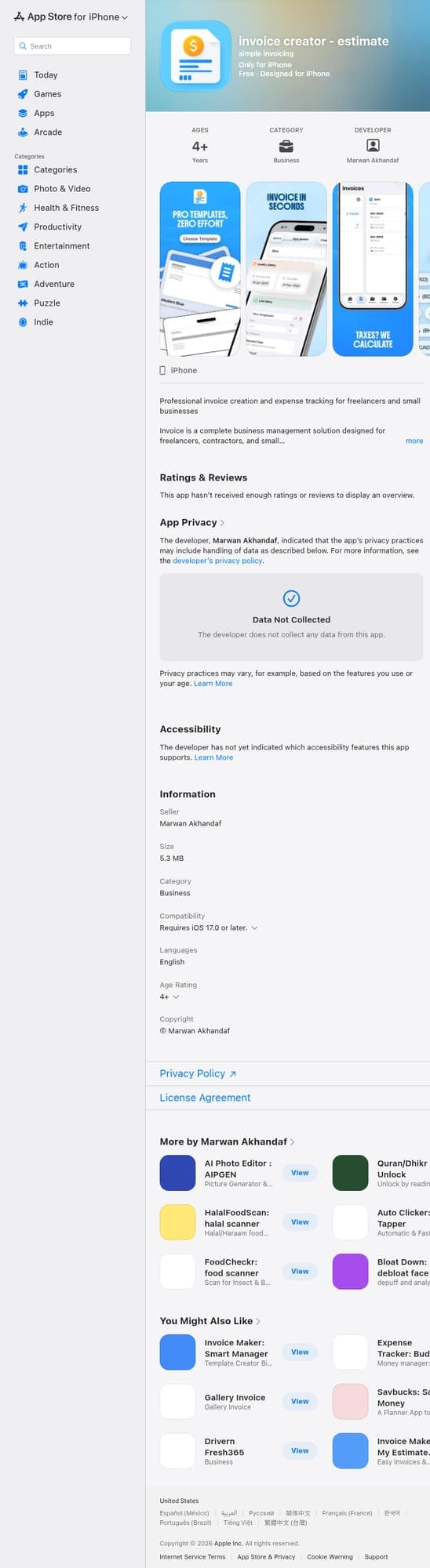
Invoice Creator – Estimate takes a refreshingly different approach: it's designed as a native iPhone app first, with no required cloud account or monthly subscription. Your data stays on your device.
The app includes everything freelancers actually need — professional PDF templates (Modern, Classic, and Minimal designs), client management, expense tracking with receipt photo capture, and a product catalog for quick invoice creation. What stands out is the digital signature feature, which is perfect for on-site work where you need signed agreements immediately.
Tax handling is particularly thoughtful, with support for multiple tax categories including standard rates, reduced rates, zero-rated items, and tax-exempt goods — configurable for your country's requirements.
- ✅ No subscription fees
- ✅ Data stays on your device — no forced cloud
- ✅ Multiple professional PDF templates
- ✅ Built-in expense tracking with receipt photos
- ✅ Digital signature capture
- ✅ Multi-currency support
- ✅ Lightweight — only 5.3 MB
- ❌ iOS only — no Android version
- ❌ No integrated payment processing
Best for: iPhone users who want a straightforward, privacy-focused invoicing solution without recurring costs.
5. Bookipi — Best All-Rounder
Bookipi Invoice has built a strong reputation as a reliable, user-friendly option trusted by thousands of freelancers worldwide. It's a cloud-based solution that works on both iOS and Android.
The app offers solid invoicing features with a free tier, though premium features require a subscription. It complies with formal ISO certifications, which matters for freelancers handling sensitive client information.
- ✅ Cross-platform (iOS and Android)
- ✅ ISO-certified security
- ✅ Free tier available
- ❌ Full features require subscription
- ❌ Cloud-dependent
Best for: Freelancers who need cross-platform syncing and don't mind cloud storage.
Quick Comparison
Wave — Free, full accounting suite, cloud-based, iOS/Android
Invoice Ninja — Free tier, open source, self-hostable, best for agencies
Invoice Fly — Paid plans, beautiful UI, project tracking, trades focus
Invoice Creator — One-time purchase, offline-first, iPhone only, privacy-focused
Bookipi — Freemium, ISO-certified, cross-platform, cloud-based
Pro Tips for Better Invoicing
Having the right app is just the start. Here's how to maximize your chances of getting paid quickly:
- Invoice immediately after delivery — Don't wait until the end of the week. Send invoices the moment work is complete. Delayed invoicing leads to delayed payments.
- Include payment terms prominently — "Net 30" or "Due upon receipt" should be crystal clear. Ambiguity favors the person who owes money.
- Offer multiple payment methods — The easier you make it to pay, the faster you'll get paid. Bank transfer, PayPal, and card options increase your chances.
- Use automatic reminders — Most apps can send polite follow-ups when invoices are overdue. Use them. It's not awkward when it's automated.
- Keep detailed line items — Clients are more likely to pay promptly when they can clearly see what they're paying for. Vague invoices invite questions and delays.
"I use freelancepilot.app for invoicing and it keeps things pretty streamlined. Out of curiosity, how many invoices do you send each month and do you deal with recurring billing or approvals? That usually decides which tools make sense."— Reddit user in r/smallbusiness
This advice is worth highlighting: your invoice volume and billing complexity should guide your app choice. Sending 2-3 invoices monthly? A simple app works fine. Sending 50+ with recurring billing? You might need more robust automation.
The Mobile Advantage
In 2026, mobile invoicing isn't optional — it's essential. Here's why:
Speed matters. Studies consistently show that invoices sent within 24 hours of project completion are paid significantly faster than those sent days later. When you can invoice from your phone immediately after finishing a job, you eliminate the "I'll do it when I get home" delay that often extends to days or weeks.
Capture expenses in real-time. That parking receipt from your client meeting? Photograph it now and categorize it in your invoice app. Waiting until tax season to sort through a shoebox of receipts is a recipe for missed deductions.
Professional impressions. Handing a client a signed, PDF invoice on the spot — generated right from your phone — demonstrates organization and professionalism that sets you apart.
The Bottom Line
There's no single "best" invoice app — it depends on your specific needs, platform preferences, and attitude toward subscriptions versus one-time purchases.
If you want a comprehensive free solution and don't mind complexity, Wave remains the gold standard. If you're technical and want control over your data, Invoice Ninja offers open-source flexibility. For trades and service businesses who value beautiful mobile design, Invoice Fly delivers.
For iPhone users who prioritize simplicity, privacy, and avoiding subscription fatigue, Invoice Creator hits a sweet spot — it does exactly what freelancers need without the bloat or recurring fees that come with enterprise-focused tools.
The most important thing? Pick something and actually use it. The best invoice app is the one that makes invoicing so easy you actually do it promptly — because getting paid starts with asking to be paid.