
Best Lecture Recording Apps for College Students 2026
You're sitting in a 90-minute lecture, scribbling notes as fast as you can, and you already know you're missing half of what the professor is saying. Every college student has been there. The solution isn't writing faster — it's recording smarter.
Lecture recording apps have evolved far beyond simple voice memos. In 2026, the best apps don't just record audio — they transcribe it, summarize it, and even turn it into study materials automatically. We tested the top options to find which ones actually help you learn, not just hoard audio files you'll never listen to again.
Why You Need a Lecture Recording App (Not Just Voice Memos)
Here's a hard truth most students learn too late: recording a lecture is useless if you never go back to it. And let's be real — nobody has time to re-listen to hours of audio.
"I have never met anyone who went back to listen to a lecture recording. Recording notes has worked better for my students. They start recording, they title the note, and then pause and record notes that are important."— Reddit user in r/Blind
This is exactly why modern lecture recording apps focus on transcription and AI processing rather than just audio capture. The real value isn't the recording itself — it's the searchable, structured transcript you get from it.
A good lecture recording app should:
- Record high-quality audio even in large lecture halls
- Transcribe speech to text automatically
- Let you search through transcripts by keyword
- Organize recordings by class, date, or topic
- Ideally, do something useful with the transcript (summaries, study tools)
The Best Lecture Recording Apps for 2026
1. MelonNote — Best All-in-One for Students
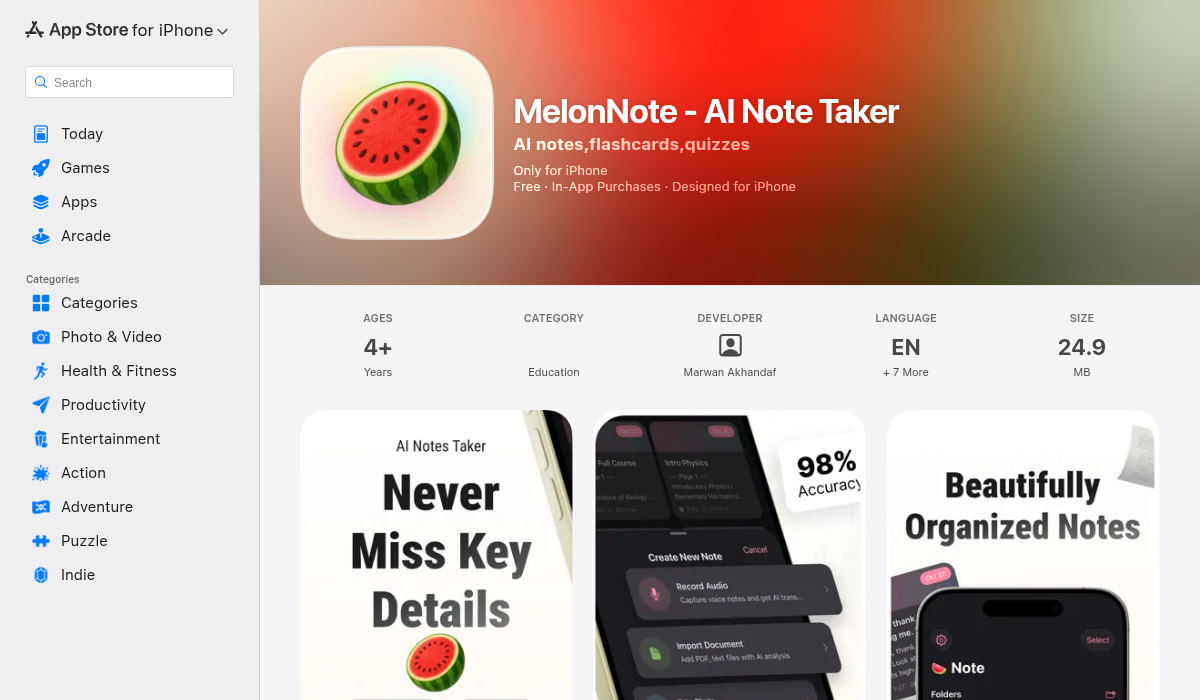
MelonNote isn't just a recording app — it's an entire study system built around your lectures. Record, transcribe, and then let AI turn the transcript into summaries, flashcards, practice quizzes, and more.
What sets it apart: Most recording apps stop at transcription. MelonNote keeps going. Once your lecture is transcribed, you can auto-generate flashcards from it, create practice quizzes, get AI summaries, or ask the built-in AI tutor questions about the material. It turns a passive recording into an active study tool.
- ✅ AI-powered transcription with timestamps
- ✅ Auto-generates summaries, flashcards, and quizzes from recordings
- ✅ AI tutor that understands your lecture content
- ✅ PDF import and photo-to-notes (whiteboards, slides)
- ✅ Cross-platform — iOS and Android
- ✅ Most affordable at $3.99/month
- ❌ Newer app, smaller user community
Price: Free tier available. Premium: $3.99/month or $49.99/year.
Best for: Students who want one app for recording, transcription, AND exam prep.
2. Otter.ai — Best Pure Transcription
Otter.ai is probably the most well-known transcription app, and for good reason. Its speech-to-text accuracy is excellent, it supports real-time transcription, and it integrates with Zoom for recording online lectures automatically.
"I had just tried out Otter AI to transcribe the lecture audio and it was working great until they paywalled me a ridiculous price for their subscription tier that had the 100 hours of audio transcription per month I needed."— Reddit user in r/AskAcademia
Otter's main drawback is that it's transcription-focused. Once you have the text, you need to take it elsewhere for flashcards, quizzes, or deeper study. And the pricing has become a common complaint — the free tier is very limited, and Pro runs $16.99/month.
- ✅ Excellent transcription accuracy
- ✅ Real-time captions during lectures
- ✅ Zoom and meeting integrations
- ✅ Speaker identification
- ❌ No flashcard or quiz generation
- ❌ No AI tutor feature
- ❌ Expensive — $16.99/month for Pro
Price: Free (limited). Pro: $16.99/month.
Best for: Students who only need transcription and are willing to use other apps for studying.
3. Notability — Best for iPad Users Who Handwrite
Notability has been an iPad staple for years. Its killer feature is syncing handwritten notes with audio — you can tap on any word you wrote and hear what the professor was saying at that exact moment. For Apple Pencil users, it's genuinely magical.
However, Notability is primarily a note-taking app, not a study tool. There's no AI transcription (you get audio, not text), no auto-generated flashcards, and no quiz features. It's also iPad-only for the full experience — no Android support.
- ✅ Audio-synced handwritten notes (tap to jump)
- ✅ Beautiful Apple Pencil experience
- ✅ PDF annotation and markup
- ✅ Great organization system
- ❌ No AI transcription — audio only
- ❌ No flashcard or quiz generation
- ❌ iPad-focused, no Android
- ❌ Subscription model frustrates some users
Price: Free (limited). Premium: $14.99/year.
Best for: iPad users who prefer handwriting notes with audio backup.
4. Google NotebookLM — Best Free Option
Google NotebookLM takes a different approach. Rather than recording lectures directly, you upload your materials — lecture slides, PDFs, notes, YouTube video links — and NotebookLM lets you chat with them, generate summaries, and even create AI audio "podcasts" that explain the content in a conversational format.
"I create an individual notebook for every exam that I take and drop all of my stuff into it — entire textbook chapters, PPTs, notes, images — so all of my exam material is in one place."— Reddit user in r/studytips
- ✅ Free to use (Google account required)
- ✅ Handles multiple document types
- ✅ AI podcast feature is genuinely helpful
- ✅ Good at citing sources within your documents
- ❌ No built-in lecture recording
- ❌ No flashcard or quiz generation
- ❌ Web-only — no dedicated mobile app with offline access
- ❌ Requires uploading materials manually
Price: Free.
Best for: Students who want a free AI tool and don't mind uploading materials separately.
5. Voice Memos + ChatGPT — The DIY Approach
Plenty of students skip dedicated apps entirely and just use their phone's built-in voice recorder combined with ChatGPT for processing. Record the lecture, upload the audio to a transcription service or use ChatGPT's voice features, then paste the transcript and ask for summaries or study questions.
- ✅ No additional apps needed
- ✅ ChatGPT is versatile and powerful
- ✅ Free if using ChatGPT's free tier
- ❌ Manual, multi-step process every time
- ❌ No organized note storage
- ❌ Transcription quality depends on method
- ❌ Easy to lose track of recordings
Best for: Students who want maximum flexibility and don't mind extra manual steps.
How to Get the Most From Lecture Recording
Regardless of which app you choose, here are battle-tested tips for making lecture recording actually useful:
- Sit near the front — Audio quality drops dramatically in the back of large halls. The closer you are to the speaker, the better your transcript will be
- Use an external mic if possible — Even a cheap lapel mic plugged into your phone improves transcription accuracy significantly
- Review transcripts within 24 hours — Studies show that reviewing material within a day dramatically improves retention. Don't let recordings pile up
- Mark key moments during recording — Most apps let you add timestamps or bookmarks. Use them when the professor says something important or when you're confused — you'll thank yourself later
- Don't stop taking notes entirely — Recording is a safety net, not a replacement. Jotting down key points while recording keeps you engaged and gives you anchor points in the transcript
- Process recordings into study tools — A transcript sitting in an app is just text. Generate flashcards, take quizzes, or create summaries to actually learn from it
Quick Comparison Table
- MelonNote — Recording ✅ | Transcription ✅ | Summaries ✅ | Flashcards ✅ | Quizzes ✅ | AI Tutor ✅ | Price: $3.99/mo
- Otter.ai — Recording ✅ | Transcription ✅ | Summaries ✅ | Flashcards ❌ | Quizzes ❌ | AI Tutor ❌ | Price: $16.99/mo
- Notability — Recording ✅ | Transcription ❌ | Summaries ❌ | Flashcards ❌ | Quizzes ❌ | AI Tutor ❌ | Price: $14.99/yr
- NotebookLM — Recording ❌ | Transcription ❌ | Summaries ✅ | Flashcards ❌ | Quizzes ❌ | AI Tutor ✅ | Price: Free
- Voice Memos + ChatGPT — Recording ✅ | Transcription ⚠️ | Summaries ✅ | Flashcards ⚠️ | Quizzes ⚠️ | AI Tutor ✅ | Price: Free-$20/mo
(⚠️ = possible with manual steps)
What About Recording Permissions?
Before you hit record, check your university's policy. Most schools allow recording lectures for personal study, but some professors prefer to be asked first. A quick email or hand-raise at the start of the semester usually covers it. Many schools now explicitly encourage recording as an accessibility measure.
If your university provides lecture recordings through an LMS (like Canvas or Blackboard), you can often download those and import them into your study app for AI processing.
The Bottom Line
The best lecture recording app depends on what you need beyond the recording itself. If you just want transcription, Otter.ai is hard to beat. If you're all-in on iPad handwriting, Notability is the gold standard. If you want a free starting point, NotebookLM does a lot with zero cost.
But if you want an app that takes you from recording all the way through to exam-ready — transcription, summaries, flashcards, quizzes, and an AI tutor — MelonNote is the most complete option we've found. At $3.99/month with both iOS and Android support, it's also the most affordable complete study tool on the market.
Whatever you choose, just stop relying on handwritten notes alone. Your future self — frantically studying at 2 AM before the final — will thank you.