
Best Sleep Tracker Apps for Better Rest 2026
You're exhausted. You slept "enough" hours but still feel drained. Sound familiar? Turns out, sleep quantity and sleep quality are very different things — and most of us have no idea what's actually happening during those hours we're unconscious.
Sleep tracking apps have evolved from basic timers to sophisticated tools that analyze your sleep stages, detect disturbances, and even wake you at optimal moments. In 2026, the best ones use AI and advanced sensors to give you actionable insights, not just pretty charts.
What Sleep Trackers Actually Measure
Before downloading every sleep app on the store, it helps to understand what they're tracking:
- Sleep duration — Total time asleep (the easy part)
- Sleep stages — Light, deep, and REM sleep cycles
- Sleep efficiency — Time asleep vs. time in bed
- Disturbances — How often you wake up, even briefly
- Environmental factors — Snoring, room noise, movement
Some apps work with just your phone (using the microphone and accelerometer), while others require a smartwatch or wearable. The choice depends on your tolerance for wearing something to bed and how detailed you want your data.
"Apple's built-in sleep tracker is the best — it's simple and integrates with Health. But if you want more data and insights, third-party apps like AutoSleep give you way more detail."— Reddit user in r/AppleWatch
Do You Need a Smartwatch?
This is the first question to answer. Here's the honest breakdown:
Phone-only tracking:
- Works by placing phone on mattress or nightstand
- Detects movement and sounds (including snoring)
- Less accurate for sleep stages
- Great for casual users who just want trends
Smartwatch tracking:
- Uses heart rate and movement data from your wrist
- More accurate sleep stage detection
- Can track additional metrics like blood oxygen
- Requires wearing the watch to bed (deal-breaker for some)
Neither is perfect. Wrist-based trackers can mistake lying still and reading as sleep, while phone-based trackers can be fooled by a restless partner. Know the limitations going in.
Best Sleep Tracker Apps in 2026
We evaluated the top options based on accuracy, usability, insights quality, and value. Here's what stood out.
1. Sleep Cycle
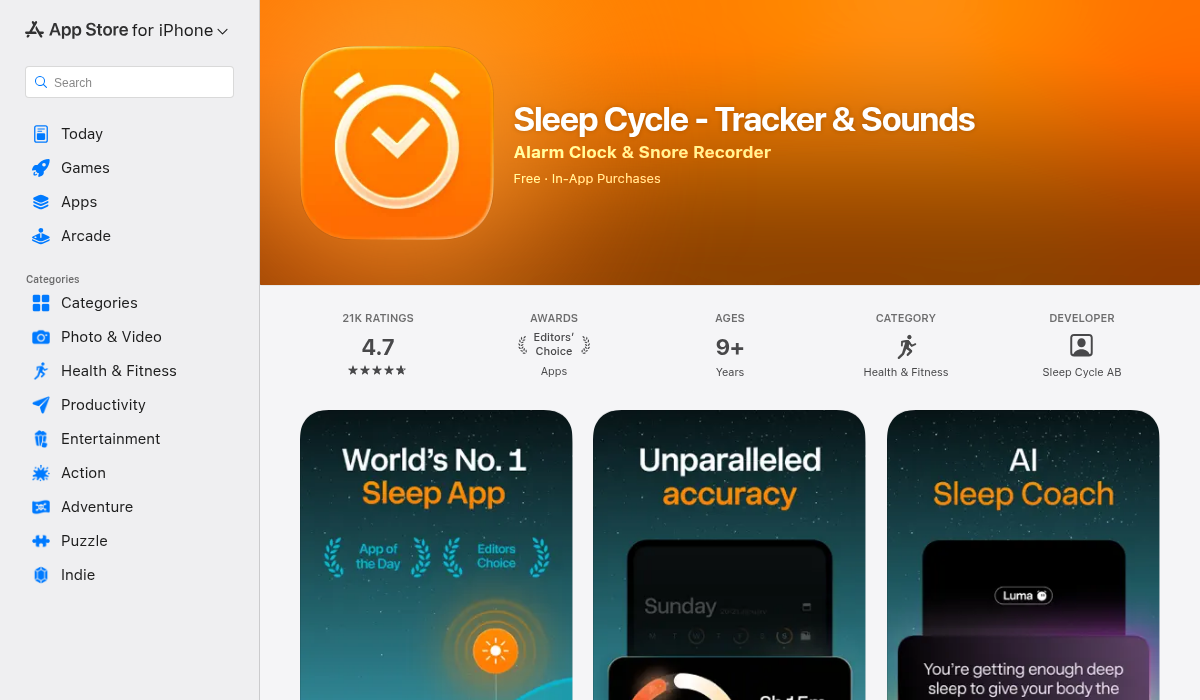
The original smart alarm app, Sleep Cycle pioneered the concept of waking you during light sleep so you feel more refreshed. It's been refined over years and remains one of the most polished options.
- ✅ Intelligent smart alarm that actually works
- ✅ Works phone-only or with Apple Watch
- ✅ Clean interface with clear sleep quality scores
- ✅ Snore detection and recording
- ✅ Long-term trends and statistics
- ❌ Premium features require subscription ($39.99/year)
- ❌ Phone-only mode can drain battery
Sleep Cycle is ideal if you want a smart alarm that genuinely makes mornings easier. The wake-up experience is noticeably better than a standard alarm.
2. Pillow
Pillow offers deep integration with Apple Watch and provides some of the most detailed sleep analysis available on iOS. It automatically imports sleep data from your watch without needing to manually start tracking.
- ✅ Automatic tracking with Apple Watch
- ✅ Detailed sleep stage breakdown
- ✅ Heart rate analysis during sleep
- ✅ Audio recordings of sleep sounds
- ✅ Beautiful, intuitive interface
- ❌ Requires Apple Watch for best experience
- ❌ Premium subscription for full features
If you own an Apple Watch and want the most comprehensive sleep data without hassle, Pillow is hard to beat. The automatic tracking means you never forget to log your sleep.
3. AutoSleep
AutoSleep is the power user's choice — it tracks everything and presents data in incredible detail. Some find it overwhelming, others love having every metric at their fingertips.
- ✅ Extremely detailed analytics
- ✅ One-time purchase ($5.99) — no subscription
- ✅ Automatic Apple Watch tracking
- ✅ Sleep bank concept shows weekly trends
- ❌ Interface can feel cluttered
- ❌ Learning curve to understand all metrics
- ❌ Requires Apple Watch
The one-time payment model makes AutoSleep great value if you'll use it long-term. Just be prepared to spend time learning what all the numbers mean.
4. Apple Health (Built-in)
Don't overlook what's already on your phone. Apple's native sleep tracking has improved significantly and covers the basics well.
- ✅ Free, no additional app needed
- ✅ Integrated with Apple Watch and Health app
- ✅ Wind Down and Sleep Focus features
- ✅ Simple, uncluttered data
- ❌ Limited insights compared to dedicated apps
- ❌ No smart alarm feature
For casual tracking, Apple Health might be all you need. It's worth trying before paying for alternatives.
What Actually Improves Sleep (Not Just Tracking It)
Here's the uncomfortable truth: tracking alone doesn't fix sleep problems. The data is only valuable if you act on it. Based on what the apps reveal, here's what actually helps:
- Consistent bedtime — Your body thrives on routine; wild variations hurt sleep quality
- Cool room temperature — 65-68°F (18-20°C) is optimal for most people
- Screen limits before bed — Blue light suppresses melatonin; stop screens 1+ hour before sleep
- Limit caffeine after noon — It stays in your system longer than you think
- Address snoring — If your app shows frequent snoring, it might indicate sleep apnea worth discussing with a doctor
"I've been using sleep tracking for two years. The biggest insight wasn't from fancy metrics — it was seeing how much worse I slept after drinking alcohol, even just one glass. That correlation was eye-opening."— Reddit user in r/sleep
Smart Alarms: Do They Work?
The promise of smart alarms is simple: wake you during light sleep (within a window before your alarm) so you feel less groggy. Does it work?
For most users, yes — but it's not magic. You'll still feel tired if you only slept 5 hours. The benefit is avoiding that jarring wake-up from deep sleep that leaves you disoriented. Sleep Cycle pioneered this feature, and most trackers now include it.
Set your alarm window to 30 minutes (e.g., wake between 6:30-7:00). Wider windows give the app more flexibility to find your light sleep phase.
Privacy Considerations
Sleep apps collect sensitive health data. Before installing, consider:
- Data storage — Is it local or cloud-synced?
- Audio recordings — Some apps record bedroom sounds; be comfortable with this
- Third-party sharing — Check privacy policies for data selling
Apple-focused apps like Pillow and AutoSleep generally keep data within Apple's ecosystem, which offers stronger privacy protections.
The Bottom Line
Sleep tracking isn't about obsessing over data — it's about understanding patterns that affect how you feel. The best app is the one you'll actually use consistently.
For most people, here's our recommendation:
- Want simplicity + smart alarm? → Sleep Cycle
- Have Apple Watch + want detailed data? → Pillow or AutoSleep
- Just starting out? → Try Apple Health first, upgrade if you want more
Whatever you choose, the goal isn't perfect metrics — it's better rest. Start tracking, look for patterns, and make small changes. Your mornings (and energy levels) will thank you.