
How AI Interior Design Apps Can Transform Any Room in 2026
You've got a room that feels off, but you can't quite picture what needs to change — until AI does it for you in seconds.
Interior design used to mean expensive consultants, awkward furniture showroom visits, or endless Pinterest boards that never quite translated to your actual space. In 2026, that's changed completely. AI-powered room design apps let you snap a photo of any room and watch it transform into dozens of different styles instantly. No design degree required. No $500 consultation fee. Just your phone and five minutes.
Whether you're moving into a new place, renovating a tired living room, or just curious what your bedroom would look like in mid-century modern, these apps have become surprisingly sophisticated — and genuinely useful.
The Old Way of Visualizing Room Changes
Before AI room planners, you had a few options for visualizing interior changes. Hire a professional designer ($100-500+ per hour). Buy furniture, hope it works, return it when it doesn't. Or stare at paint swatches for weeks while your partner loses patience.
The DIY approach was especially painful. You'd find a beautiful reference image on Pinterest, then realize it required completely different lighting, ceiling height, and a furniture budget you didn't have. There was no easy way to see your actual room in a different style.
"I've been going through r/interiordecorating posts and everyone keeps recommending AI tools to visualize spaces. Just moved into a new house and starting from scratch — it's cheaper to pay for an app than to fill my place with furniture I don't like!"— Reddit user in r/interiordecorating
That frustration is exactly why AI design apps exploded in popularity. They solve the visualization problem instantly.
How AI Interior Design Apps Actually Work
Modern AI room planners use sophisticated image analysis to understand your space. When you upload a photo, the AI identifies structural elements — walls, windows, floors, furniture — and creates a spatial map. Then it applies design transformations while respecting the room's actual constraints.
The best apps in 2026 go beyond simple style filters. They analyze:
- Lighting dynamics — How natural and artificial light affects color choices
- Spatial boundaries — What furniture sizes actually fit
- Material surfaces — Coordinating textures between floors, walls, and furniture
- Layout logic — Traffic flow and functional arrangement
The result isn't just a pretty overlay. It's a genuinely usable preview of how your room could look with different choices.
Best AI Room Design Apps in 2026
We tested the major options to see which actually deliver useful results versus gimmicky filters that look nothing like real interior design.
1. Baytee – AI Room Planner
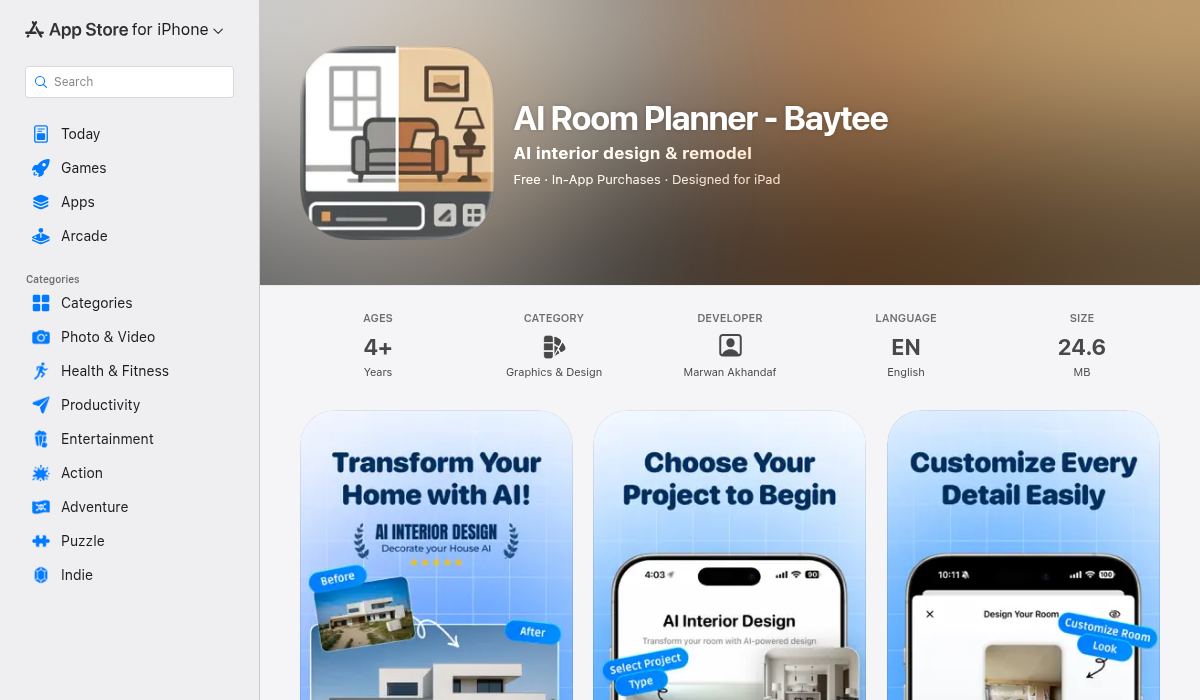
Baytee takes a refreshingly practical approach to AI interior design. Upload a photo of your room, and it generates realistic redesigns across multiple styles — from minimalist Scandinavian to cozy industrial. What sets it apart is the specific feature controls.
You can independently swap:
- ✅ Flooring — See how hardwood, tile, carpet, or concrete would look
- ✅ Wall colors — Test paint colors without buying samples
- ✅ Furniture styles — Modern, traditional, bohemian, and more
- ✅ Accessories and décor — Plants, artwork, lighting fixtures
The freestyle description feature is particularly useful. Instead of picking from preset styles, you can describe exactly what you want: "warm terracotta walls with natural wood furniture and lots of plants." The AI interprets your vision and renders it onto your actual room photo.
Before/after comparisons let you swipe between your current room and the redesign, which is incredibly helpful when trying to convince a skeptical partner that yes, the green accent wall would actually look good.
Download: Baytee on the App Store
2. RenoAI
RenoAI has positioned itself as the professional-grade option. It's more comprehensive but also more complex. Interior designers and architects use it for client presentations, which gives you a sense of its capabilities — and its learning curve.
Strengths include detailed material analysis and the ability to maintain consistency across multiple room views. If you're planning a whole-house renovation, this continuity matters. The downside is it feels more like software than an app. Great for professionals, potentially overwhelming for someone who just wants to see their living room in a different style.
3. RoomGPT and Similar Web Tools
Several web-based tools have emerged using general AI image generation. RoomGPT and similar platforms let you upload a photo and describe changes in natural language. Results are hit-or-miss. Sometimes you get a stunning reimagined room. Other times the AI misunderstands the space entirely and produces something architecturally impossible.
These work best for inspiration rather than realistic planning. If you want to see creative possibilities without worrying about accuracy, they're fun to play with.
What Makes AI Room Redesigns Useful (Beyond the Cool Factor)
The real value isn't just seeing pretty pictures. It's making better decisions before spending money.
Test Before You Invest
Paint is cheap compared to furniture, but repainting isn't fun. Seeing your room with different wall colors — in your actual lighting conditions — prevents expensive mistakes. The same goes for flooring. Visualizing hardwood versus tile in your kitchen could save thousands in regret.
Communicate Ideas Clearly
Ever tried explaining your design vision to a contractor or partner? "I want it to feel more open but still cozy" doesn't translate well. A generated image communicates instantly what you're picturing.
Discover Styles You Didn't Know You Liked
Most people default to what they already know. Running your room through multiple style transformations might reveal that you actually love japandi minimalism or warm Mediterranean — styles you'd never have searched for on Pinterest.
Pro Tips for Getting the Best AI Room Designs
- Use good lighting in your source photo — Natural daylight works best. Dark or overly yellow room photos confuse the AI and produce muddy results.
- Shoot from a corner for maximum context — Standing in a corner and shooting diagonally captures more of the room, giving the AI better spatial understanding.
- Clear the clutter first — AI has to work around everything visible. A cleaner starting point produces cleaner transformations.
- Be specific in freestyle descriptions — "Modern living room" is vague. "Bright Scandinavian living room with white oak floors, gray linen sofa, and brass accents" gives the AI much more to work with.
- Generate multiple variations — AI output varies. Running the same prompt three times often produces one excellent result and two mediocre ones. Don't judge by a single generation.
When AI Design Tools Fall Short
Let's be realistic about limitations. AI room planners are visualization tools, not architects.
They don't account for structural constraints. That AI-generated open floor plan might require removing a load-bearing wall. Always consult a professional before major renovations.
Furniture shopping links are often wrong. Some apps suggest "shop this look" with links to similar furniture. The matches are rarely exact, and prices vary wildly. Treat these as inspiration, not shopping carts.
Color accuracy depends on your screen. That sage green might look different on your phone than on your wall. If you're making paint decisions, still get physical samples.
The Future of AI Interior Design
What's available today is just the beginning. Coming improvements we're already seeing in beta:
- AR integration — Place AI-designed furniture in your actual room through your phone's camera in real-time
- Accurate product matching — AI identifying exact products that match generated designs and linking to purchase
- Multi-room consistency — Design your entire home with cohesive flow between spaces
- Budget-aware suggestions — Set a price range and get designs achievable within it
The technology is improving fast enough that checking back every few months reveals genuinely new capabilities.
The Bottom Line
AI interior design apps won't replace professional designers for complex projects. But for the 95% of us who just want to refresh a room without expensive consultations, they're transformative. The ability to see your actual space reimagined in different styles — before buying anything — removes so much of the risk and guesswork from decorating.
Start with your most problematic room. Upload a photo, try a few styles, and see what resonates. You might discover the change you needed was simpler than you thought — or more dramatic than you would have dared without seeing proof.
If you want to experiment with AI room redesigns, Baytee is a solid starting point with its intuitive controls and realistic outputs. Take a photo of your living room tonight and see what's possible.