
How to Scan Ingredients for Artificial Sweeteners in 2026
Artificial sweeteners are hiding in places you'd never expect — from "healthy" protein bars to vitamin supplements.
If you've ever picked up a product labeled "no sugar added" only to find sucralose, aspartame, or stevia buried in the ingredients, you're not alone. Millions of people are trying to avoid these sweeteners for various reasons — gut issues, migraines, taste preferences, or just wanting to know what's actually in their food. The problem? Reading tiny ingredient lists in a crowded grocery store isn't exactly efficient.
Why People Are Avoiding Artificial Sweeteners in 2026
The conversation around artificial sweeteners has shifted dramatically. While some people avoid them due to taste (stevia's bitter aftertaste is legendary), others have noticed real physical reactions.
"I truly don't get why significant ingredient changes don't need to be disclosed on the front of the box. I grew up with artificial sweeteners, and I still can't stand stevia. It's disgustingly bitter."— Reddit user in r/rant
Common reasons people want to scan for artificial sweeteners include:
- Migraines and headaches — Aspartame has been linked to migraine triggers for some individuals
- Gut health concerns — Studies suggest some sweeteners may affect gut microbiome balance
- ADHD and sensitivity — Some parents and adults report behavioral changes with certain additives
- Taste preferences — Many simply prefer real sugar or no sweetener at all
- Allergies and reactions — Sugar alcohols like sorbitol can cause digestive issues
The Most Common Artificial Sweeteners to Watch For
Not all sweeteners are created equal, and they go by many names. Here's what you should know about the most common ones:
Aspartame (Equal, NutraSweet)
Found in diet sodas, sugar-free gum, and "light" yogurts. Approximately 200 times sweeter than sugar. The most controversial of the bunch, with ongoing debates about its safety.
Sucralose (Splenda)
Common in baked goods, canned fruits, and flavored waters. About 600 times sweeter than sugar. Heat-stable, making it popular in packaged foods.
Stevia (Truvia, Pure Via)
Derived from the stevia plant, so often marketed as "natural." Found in health drinks, protein powders, and organic snacks. Known for its distinctive bitter aftertaste.
Saccharin (Sweet'N Low)
One of the oldest artificial sweeteners. Less common now but still found in some fountain drinks and table-top sweeteners.
Sugar Alcohols (Erythritol, Xylitol, Sorbitol)
Technically not artificial, but often grouped together. Found in "keto-friendly" products, sugar-free candy, and protein bars. Can cause digestive issues in larger amounts.
The Problem with Manual Label Reading
Here's the frustrating reality: ingredient lists are designed to be comprehensive, not scannable. Sweeteners can appear under dozens of different names, and they're often buried in the middle of a 30-ingredient list in 6-point font.
"I've literally scanned snacks with dye and artificial sweeteners and it says 'good.' The app focuses too much on macros."— Reddit user in r/moderatelygranolamoms
This is where ingredient scanner apps become essential. The best ones don't just show you the ingredients — they flag specific additives you're trying to avoid.
How Ingredient Scanner Apps Actually Work
Modern food scanner apps use a combination of barcode databases and ingredient analysis. When you scan a product:
- Barcode lookup — The app matches the barcode to a product database
- Ingredient parsing — The ingredient list is analyzed against known additives
- Flag matching — Ingredients you've set to avoid are highlighted
- Overall assessment — Some apps provide a health score or recommendation
The key difference between apps is what they prioritize. Some focus heavily on macronutrients (calories, carbs, protein), while others zero in on specific ingredients and additives.
Best Apps for Detecting Artificial Sweeteners
1. Yuka
Yuka is popular for its clean interface and health scores, but it has limitations. The app prioritizes nutritional content over specific ingredient concerns. As some users have noted, products with artificial sweeteners can still receive "good" ratings if the macros look healthy.
- ✅ Clean, easy-to-use interface
- ✅ Large product database
- ❌ Focuses on macros over ingredients
- ❌ May miss sweeteners and additives
2. FoodCheckr
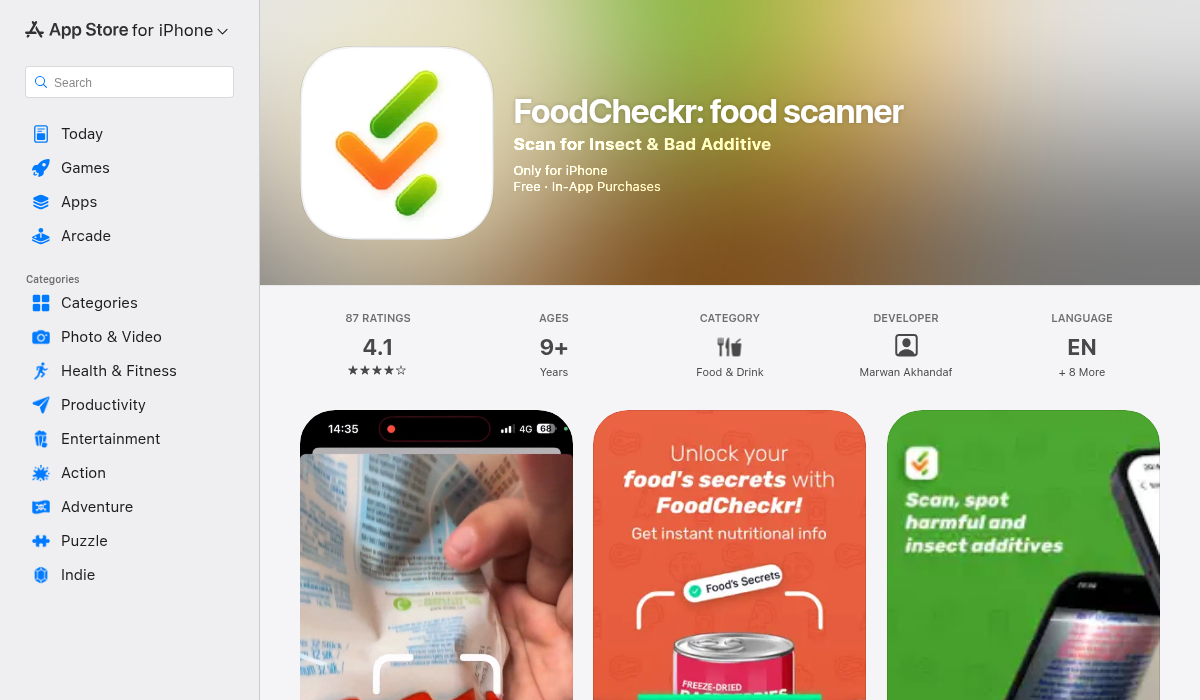
FoodCheckr takes a different approach — it's built specifically to flag problematic ingredients that other apps miss. The app includes AI-powered detection for bioengineered ingredients, harmful additives, and yes, artificial sweeteners.
What makes it particularly useful is its additive focus. Instead of just showing you a nutrition score, FoodCheckr breaks down exactly what's in your food and why certain ingredients might be concerning.
- ✅ Specifically flags harmful additives
- ✅ AI bioengineered ingredient detection
- ✅ Insect trace detection
- ✅ Detailed nutritional breakdown (energy, protein, sugars, fats)
- ✅ Scan history for reference
3. Emma AI Food Scanner
A newer entry that uses AI to analyze both barcodes and ingredient labels. Provides "eat or avoid" recommendations. Still building out its database but shows promise for those wanting quick answers.
- ✅ AI-powered analysis
- ✅ Simple eat/avoid recommendations
- ❌ Smaller database than established apps
Pro Tips for Scanning Ingredients Effectively
- Scan at home first — Before heading to the store, scan products you already have. You'll learn what to look for and might be surprised by what's in your pantry.
- Check "health" products carefully — Protein bars, vitamin supplements, and "wellness" drinks are often packed with artificial sweeteners. Don't assume healthy marketing means healthy ingredients.
- Look beyond the obvious names — Artificial sweeteners hide under technical names. "Acesulfame potassium" sounds scientific but is just another zero-calorie sweetener.
- Note the order — Ingredients are listed by weight. Sweeteners near the beginning mean higher concentrations.
- Build your avoid list — Use apps that let you customize which ingredients trigger alerts. Your concerns might be different from general recommendations.
Common Products That Surprisingly Contain Artificial Sweeteners
You'd be shocked how many "regular" products now contain artificial sweeteners:
- Flavored water and sparkling water — Many brands add sucralose or stevia
- Yogurt — Even non-diet varieties often contain sweeteners
- Protein powder and bars — Almost universally contain some form of sweetener
- Vitamins and supplements — Chewable vitamins especially
- Bread and baked goods — Some brands add sweeteners to extend shelf life
- Cough medicine and throat lozenges — Sugar-free versions are the norm now
- Salad dressings — "Light" versions often swap sugar for sweeteners
The Bottom Line
Whether you're avoiding artificial sweeteners for health reasons, taste preferences, or just curiosity, manually reading every ingredient list isn't practical. The right scanner app turns a 5-minute squinting session into a 5-second scan.
The key is choosing an app that prioritizes what matters to you. If you're specifically concerned about additives and sweeteners rather than just calorie counts, look for apps like FoodCheckr that focus on ingredient analysis rather than just nutritional scoring.
Your grocery shopping doesn't have to be a chemistry exam. Let the technology do the hard work so you can focus on finding foods that actually work for your body.