
How to Turn Lecture PDFs into Quizzes with AI
You've downloaded 47 lecture PDFs this semester. They're sitting in a folder somewhere, full of information you'll need for finals. The problem? Reading through 300 pages of dense academic text isn't studying—it's just staring at words until your eyes glaze over.
Active recall beats passive reading every single time. Research consistently shows that testing yourself on material leads to dramatically better retention than simply re-reading notes. But creating quizzes manually from lecture PDFs? That takes hours you don't have.
Enter AI quiz generators—tools that transform your lecture materials into interactive practice tests in seconds. Here's how to actually use them effectively.
Why PDF-to-Quiz Tools Are a Game-Changer for Students
On Reddit's r/GetStudying, one student put it perfectly: "I spent more time making Anki cards than actually studying. By the time I finished creating them, I'd forgotten why I started."
That's the trap. Manual flashcard and quiz creation is productive procrastination—it feels like studying but eats into actual learning time. AI quiz generators flip this equation. You feed in the PDF, AI extracts the key concepts, and you're taking a practice quiz within minutes.
The best tools don't just generate random questions. They understand context, identify key definitions, extract important relationships, and create questions at different difficulty levels—from basic recall to application and analysis.
Step-by-Step: Turning Any Lecture PDF into a Quiz
Step 1: Choose Your PDF Import Method
Most AI study apps offer multiple ways to get your lecture materials in:
- Direct PDF upload — Drag and drop the file
- Cloud import — Pull from Google Drive, Dropbox, or iCloud
- Photo capture — Snap a picture of printed lecture notes
- URL paste — Some tools can extract content from online lecture materials
For lecture PDFs specifically, direct upload gives the cleanest results since the AI can extract text more accurately than from photos of printed pages.
Step 2: Let AI Extract the Key Concepts
Once your PDF is uploaded, the AI analyzes the content to identify:
- Definitions — Terms that need to be memorized
- Key facts — Dates, names, statistics, formulas
- Processes and sequences — Steps that need to be understood in order
- Relationships — How concepts connect to each other
- Main arguments — Thesis statements and supporting evidence
This extraction process typically takes 10-30 seconds depending on the PDF length. The better tools create a summary or outline you can review before generating questions.
Step 3: Generate Your Quiz
With the content analyzed, you'll typically choose:
- Question type — Multiple choice, true/false, fill-in-the-blank, or mixed
- Number of questions — Usually 5-50 depending on PDF length
- Difficulty level — Basic recall vs. application vs. analysis
Multiple choice questions are ideal for initial learning since you get immediate feedback. As you master the material, switch to fill-in-the-blank or open-ended questions to build deeper understanding.
Step 4: Take the Quiz and Track Progress
The real magic happens here. Good AI quiz tools don't just mark answers right or wrong—they:
- Explain why each answer is correct or incorrect
- Link back to the original PDF section for review
- Track which topics you're struggling with
- Use spaced repetition to resurface questions you got wrong
This creates a study loop: take quiz → identify gaps → review those sections → retake quiz. Much more effective than linear reading.
What to Look for in a PDF Quiz Generator
Not all AI quiz tools are created equal. Here's what separates the useful ones from the gimmicks:
Text Extraction Quality
Lecture PDFs often have complex formatting—tables, diagrams, multi-column layouts, embedded images with text. Cheap tools mangle this. Look for apps that handle academic PDF formatting cleanly.
Question Quality
The worst AI quiz generators just convert every sentence into a fill-in-the-blank question. The best ones understand which information is actually worth testing and create questions that require genuine understanding.
Integration with Other Study Methods
A quiz is most useful when it's part of a larger study system. Tools that also generate flashcards, summaries, and allow you to chat with an AI tutor about the material provide more value than standalone quiz generators.
Mobile Accessibility
If you can only quiz yourself at your desk, you'll do it less often. The best study apps let you practice on your phone during commutes, waiting rooms, and other dead time.
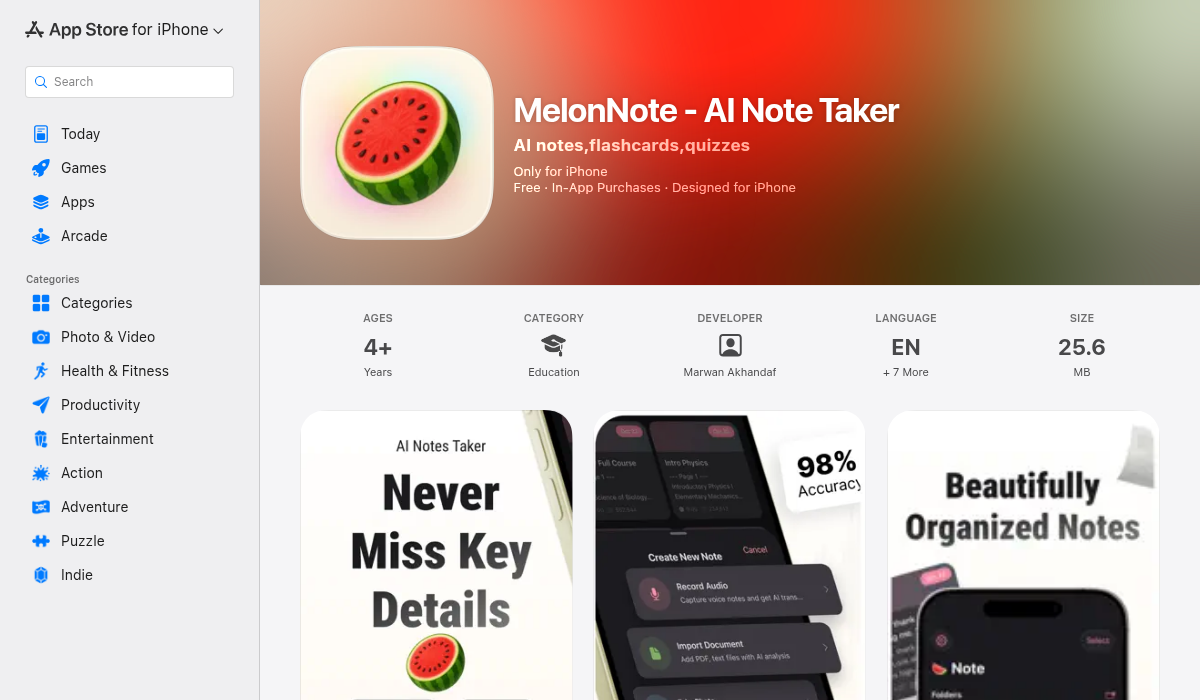
MelonNote: An All-in-One Approach
While there are many PDF quiz generators out there, MelonNote takes a different approach by combining quiz generation with the entire study workflow:
- Import PDFs with full text extraction and analysis
- Auto-generate summaries so you understand the big picture first
- Create flashcards for memorization of key terms
- Generate quizzes (MCQ, true/false, fill-in-blank) for active testing
- Chat with AI tutor to clarify concepts you're stuck on
- Generate study podcasts to review material while commuting
Instead of bouncing between different apps—one for flashcards, one for quizzes, one for summaries—everything lives in one place. You upload your lecture PDF once and get all these study materials generated automatically.
At $3.99/month, it's also significantly cheaper than most alternatives like Quizlet Plus ($7.99/month) or StudyFetch Pro ($12.99/month).
Best Practices for PDF Quiz Studying
Don't Just Take the Quiz Once
The first time through a quiz, you're just discovering what you don't know. The real learning happens on attempts 2, 3, and 4. Each time, you'll notice your accuracy improving on previously-missed questions.
Combine with Spaced Repetition
Don't cram all your quiz practice into one session. Spread it out:
- Take the quiz right after reading the PDF
- Retake 24 hours later
- Retake 3 days later
- Retake 1 week later
This spacing dramatically improves long-term retention compared to massed practice.
Mix Up Question Types
If you only practice multiple choice, you'll get good at recognizing correct answers but not at producing them. Mix in fill-in-the-blank and open-ended questions to build deeper recall.
Use "Explain It" as a Self-Test
After getting a question right, ask yourself: could I explain this to a classmate? If the answer is "maybe" or "no," you've identified a gap. Use the AI tutor chat to work through it.
The Verdict: Is AI Quiz Generation Worth It?
If you're spending hours creating manual flashcards and quizzes, absolutely yes. The time savings alone pay for any subscription cost.
If you're currently just reading and highlighting PDFs, the switch to active recall through AI-generated quizzes will likely improve your exam scores significantly. The research on testing effect (also called retrieval practice) is clear: students who test themselves remember more than those who just re-read.
The key is choosing a tool that fits your workflow. If you need a simple, free quiz generator for occasional use, web-based tools like PDFQuiz or Revisely work fine. If you want a complete study system that handles lecture recordings, PDF notes, photos of whiteboards, and generates all your study materials in one place, an all-in-one app like MelonNote is worth the monthly cost.
Either way, stop reading passively. Turn those lecture PDFs into quizzes and start testing yourself. Your exam scores will thank you.
Download MelonNote: iOS App Store | Google Play