
How to Turn Lecture Recordings into Study Notes with AI
You just sat through a 90-minute lecture, and your notes look like hieroglyphics. Half the important points are missing, the other half are barely legible, and you already forgot what the professor said about the exam. Sound familiar?
For most students, the lecture-to-notes pipeline is broken. You're forced to choose between actually listening and understanding the material, or frantically scribbling down everything the professor says. In 2026, AI note-taking apps have finally solved this problem — and some of them go way beyond simple transcription.
We tested several AI-powered tools that promise to turn your lecture recordings into polished study notes. Here's what actually works, what's overhyped, and which apps deliver the most value for students on a budget.
Why Traditional Note-Taking Fails During Lectures
The fundamental problem isn't that you're bad at taking notes — it's that the human brain wasn't designed to simultaneously process complex information and transcribe it. Research consistently shows that students who focus on listening and engaging with the material retain significantly more than those who try to write everything down.
"My lectures are 50 minutes to an hour and twenty minutes long. Are there any affordable AI note takers where I can record the lecture then have it create bullet-pointed notes in the format and level of detail that I need?"— Reddit user in r/ProductivityApps
This is the exact frustration that drives thousands of students to search for AI solutions every semester. The good news? The technology has caught up with the demand. Modern AI note-taking apps can transcribe with near-perfect accuracy, organize content into structured notes, and even generate study materials — all from a single recording.
What AI Note-Taking Apps Actually Do in 2026
The best AI note-taking tools go far beyond simple speech-to-text. Here's what the current generation can handle:
- Live transcription — Record in real-time during lectures with automatic speaker detection
- Smart summarization — Condense hour-long lectures into organized bullet points and key takeaways
- Flashcard generation — Automatically create study flashcards from your notes or transcripts
- Quiz creation — Turn lecture content into practice quizzes with multiple choice, true/false, and fill-in-the-blank questions
- AI chat — Ask questions about your lecture content and get instant answers based on your notes
- Multi-format input — Import PDFs, photos of whiteboards, and audio recordings alongside live captures
Not every app does all of these, though. The differences between tools matter a lot depending on how you study.
Best Apps for Turning Lectures into Notes — Compared
1. Otter.ai — The Transcription Veteran
Otter.ai has been in the transcription game longer than most competitors, and it shows. The app excels at real-time transcription with speaker identification — helpful when your lecture involves a professor and guest speakers, or when classmates ask questions.
- ✅ Excellent real-time transcription accuracy
- ✅ Speaker identification works well in classroom settings
- ✅ Good collaboration features for sharing notes with classmates
- ❌ Free plan is limited (300 minutes/month)
- ❌ Study-specific features like flashcards and quizzes are lacking
- ❌ Premium pricing is steep for students ($16.99/month)
Otter is solid if all you need is a transcript. But if you want your lecture recording to become actual study material — flashcards, quizzes, summaries — you'll need to pair it with other tools, which adds friction and cost.
2. Knowt — The Flashcard Focus
Knowt positions itself as an AI lecture note-taker that also generates flashcards and practice tests. The app can process recordings, transcripts, and documents to create study materials.
- ✅ Generates flashcards and practice tests from notes
- ✅ Clean interface for studying
- ✅ Free tier available
- ❌ Transcription accuracy can be inconsistent with accented speech
- ❌ Limited input flexibility — primarily text and audio
- ❌ No AI chat or podcast features
Knowt is a decent option if flashcards are your primary study method. However, it doesn't offer the depth of AI features that some newer alternatives provide.
3. MelonNote — The All-in-One Study Companion
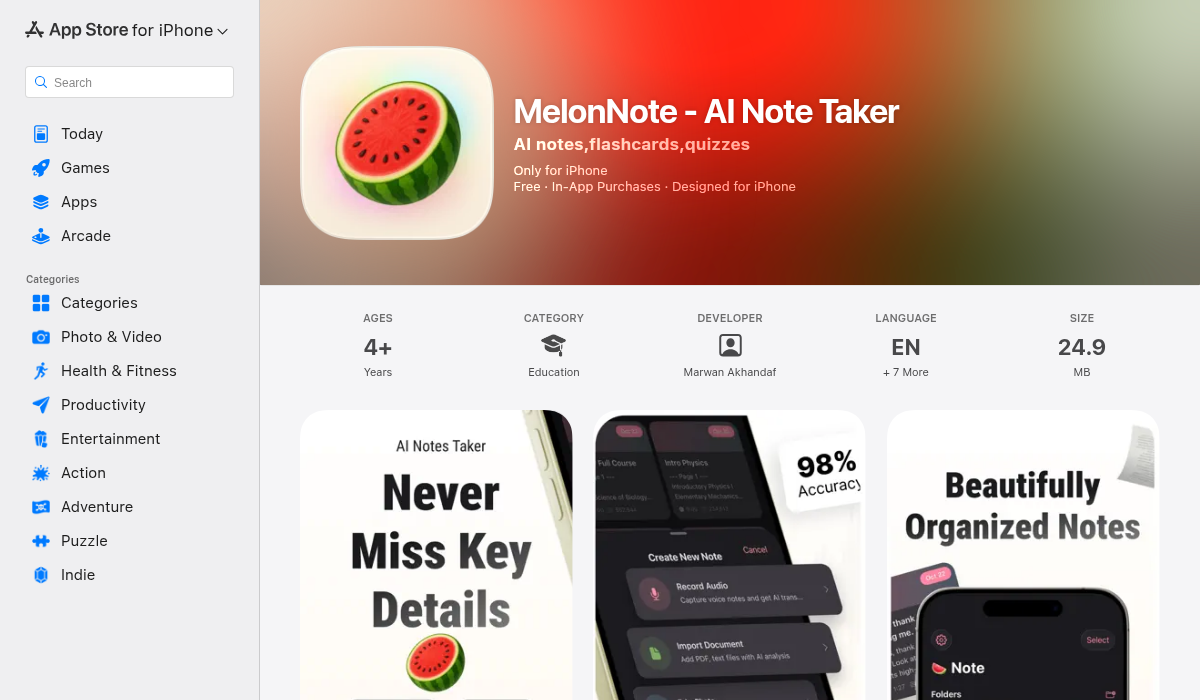
MelonNote takes the concept of AI note-taking and pushes it further than most competitors. Where other apps stop at transcription and summaries, MelonNote builds an entire study ecosystem around your lecture recordings.
Here's the workflow: record your lecture (or import an audio file), and MelonNote transcribes it using OpenAI's Whisper engine. From there, you can generate structured summaries, flashcards, practice quizzes, and even have a conversation with an AI tutor about the material — all without leaving the app.
- ✅ Record lectures with high-accuracy AI transcription
- ✅ Auto-generate flashcards, quizzes (MCQ, true/false, fill-in-blank), and summaries
- ✅ AI tutor chat — ask questions about your specific lecture content
- ✅ AI podcast generator — turns your notes into a two-person podcast conversation for passive review
- ✅ Import PDFs and photos (whiteboards, handwritten notes) alongside recordings
- ✅ Realtime AI conversation mode — like having a study buddy who read all your notes
- ✅ Available on iOS and Android
- ✅ Most affordable option ($3.99/month vs $10–20/month for competitors)
The podcast feature deserves special mention. MelonNote can take your lecture notes and generate a two-person podcast conversation about the material, with over 16 voice options. This is genuinely useful for auditory learners who want to review material while commuting or working out — something no other note-taking app currently offers.
"I use AI Q&A to dig deeper into sources or tricky concepts instead of just passively reading notes."— Reddit user in r/NoteTaking
This is exactly the approach MelonNote enables. Instead of just staring at a transcript, you can actively engage with the material through quizzes, flashcards, and AI-powered conversations about what you recorded.
4. ScreenApp — The Browser-Based Option
If you primarily attend online lectures (Zoom, Teams, Google Meet), ScreenApp offers browser-based recording with AI transcription. It's a solid choice for screen recording with captions, but it lacks the study-specific features — no flashcards, no quizzes, no AI tutor. Think of it as a transcription tool rather than a study companion.
- ✅ No installation needed — works in browser
- ✅ Good for online lecture recordings
- ❌ No flashcard or quiz generation
- ❌ Not ideal for in-person lecture recording
Step-by-Step: Turning a Lecture Recording into Study Notes
Here's the exact process we recommend, using MelonNote as an example (though the principles apply to any AI note-taker):
- Record the lecture — Open the app before class starts and hit record. Place your phone on the desk with the microphone facing the professor. For online lectures, you can import the audio file afterward.
- Let AI transcribe — After the lecture ends, the app processes the audio and generates a full transcript. This typically takes 1–3 minutes for an hour-long recording.
- Generate a summary — One tap creates a structured summary with key points, definitions, and important concepts pulled from the full transcript.
- Create flashcards — The AI identifies key terms and concepts and generates flashcard pairs automatically. Review and edit any that need tweaking.
- Take a practice quiz — Generate a quiz from the lecture content to test your understanding immediately while the material is fresh.
- Use the AI tutor — Stuck on a concept? Ask the AI tutor specific questions about what was covered in the lecture. It answers based on the actual content, not generic knowledge.
This entire process — from raw recording to study-ready materials — takes about 5 minutes of active time. Compare that to spending 2–3 hours manually rewriting and organizing notes.
Pro Tips for Better AI Lecture Notes
- Sit closer to the front — AI transcription accuracy drops significantly with background noise and distance. The closer your phone's microphone is to the professor, the better your results.
- Supplement with photos — When the professor writes on the whiteboard or shows a diagram, snap a photo. Apps like MelonNote can import these photos and use AI to extract the content, creating a complete picture of the lecture.
- Review the same day — The forgetting curve is real. Generate your flashcards and take a practice quiz within a few hours of the lecture. Spaced repetition works best when you start early.
- Combine multiple sources — Import the professor's PDF slides alongside your recording. Multi-select study sets let you combine notes from different sources into one unified flashcard deck or quiz.
- Use the podcast feature for commuting — If your app supports it, generate a podcast from your notes and listen during your commute. Passive review in dead time adds up fast over a semester.
What About Privacy and Permissions?
Before you start recording lectures, check your university's recording policy. Many institutions require explicit permission from the professor before recording, and some ban recording entirely. Most professors are fine with it if you ask — especially if you explain it's for personal note-taking with an AI tool.
On the app side, look for tools that process audio locally or delete recordings after transcription. MelonNote uses local storage via SwiftData, which means your notes stay on your device rather than sitting on someone else's server indefinitely.
The Bottom Line
The days of choosing between listening and note-taking are over. AI note-taking apps have matured to the point where they don't just transcribe — they actively help you study. The key is choosing a tool that fits your workflow.
If you just need transcripts, Otter.ai is reliable. If flashcards are your thing, Knowt works. But if you want a single app that handles the entire journey — from recording to transcription to summaries to flashcards to quizzes to AI tutoring to podcast review — MelonNote is the most complete and affordable option we've found at $3.99/month. It's available on both iOS and Android.
Your future self — the one studying for finals — will thank you for setting this up now.