
Voice Notes vs Typing: Which is Better for Studying?
You're sitting in a lecture hall, the professor is flying through slides, and you're falling behind trying to type everything out. Sound familiar? The debate between voice notes vs typing for studying has never been more relevant — and in 2026, AI tools are completely changing the game.
Students have debated note-taking methods for decades. Handwriting loyalists swear by the cognitive benefits. Speed-typists argue they can capture more information. But there's a third option that most students overlook: recording lectures and letting AI do the heavy lifting.
The Problem: Traditional Note-Taking is Broken
Here's the uncomfortable truth — whether you type or write, you're probably missing half of what your professor says. The average college student types at 40 words per minute. Professors speak at 120-150 words per minute. The math doesn't work.
"Some classes you HAVE to type in. The professors go WAY too fast to be able to keep up when writing and typing is the only way to do it. Hell, sometimes they're too fast to even type."— Reddit user in r/college
This creates a constant cognitive burden. Instead of actually understanding the material, you're focused on transcription. Your brain becomes a slow, unreliable recorder instead of an engaged learner.
The Science: Handwriting vs Typing
A widely-cited neuroscience study found that handwriting notes leads to better learning outcomes than typing. The theory? Handwriting forces you to process and summarize information because you can't write fast enough to transcribe verbatim.
But here's what most people miss: a newer analysis published in the same journal questioned those conclusions. The original study measured "brain activation" — not actual retention or learning outcomes.
"More brain activation is literally to be expected. Handwriting is far more complex. I can type multiple times faster than I can write."— Reddit user in r/science
The real question isn't which method activates more neurons — it's which method helps you actually learn and remember the material.
Voice Notes: The Third Option Nobody Talks About
What if you could capture 100% of a lecture while staying fully present and engaged? That's the promise of voice recording — and with AI transcription, it's finally practical.
The workflow is simple:
- Record the lecture — Capture everything without frantically typing
- Stay engaged — Actually listen and think about the material
- Let AI transcribe — Get a complete, searchable transcript
- Review and study — Use the transcript for flashcards, summaries, and active recall
This approach combines the cognitive benefits of engaged listening with the completeness of a full recording. You're not trading comprehension for coverage — you get both.
What Modern Students Are Actually Doing
The smartest students in 2026 aren't picking sides in the typing vs writing debate. They're using AI to transcend the whole argument.
"What I do is I type them. Then I go to ChatGPT and send them all there copy and paste. Then I go to voice mode on my phone and ask the voice AI to give me a quiz — 'ask me individually each question so I can answer each separately' — then if I don't know a question I would say 'teach me it/give me a small lecture, then quiz me after.' It really helps with active recall."— Reddit user in r/studytips
This is creative, but it involves way too many steps. Recording, transcribing, copying to ChatGPT, switching apps, manual quiz creation... There's a better way.
Best Apps for Voice-Based Studying in 2026
1. Otter.ai
Otter is the go-to for transcription. It records lectures and provides searchable transcripts with speaker identification. The AI is solid and it integrates with Zoom for remote classes.
- ✅ Excellent transcription accuracy
- ✅ Speaker identification
- ❌ Transcription-only — no study tools
- ❌ Expensive ($16.99/mo for Pro)
- ❌ Need separate apps for flashcards and quizzes
2. Notion AI
Notion added AI features, but it's still primarily a productivity tool. You can paste transcripts and ask AI to summarize, but there's no native recording or study features.
- ✅ Flexible organization
- ✅ AI summarization
- ❌ No native lecture recording
- ❌ No flashcard or quiz generation
- ❌ Steep learning curve
3. MelonNote – AI Note Taker
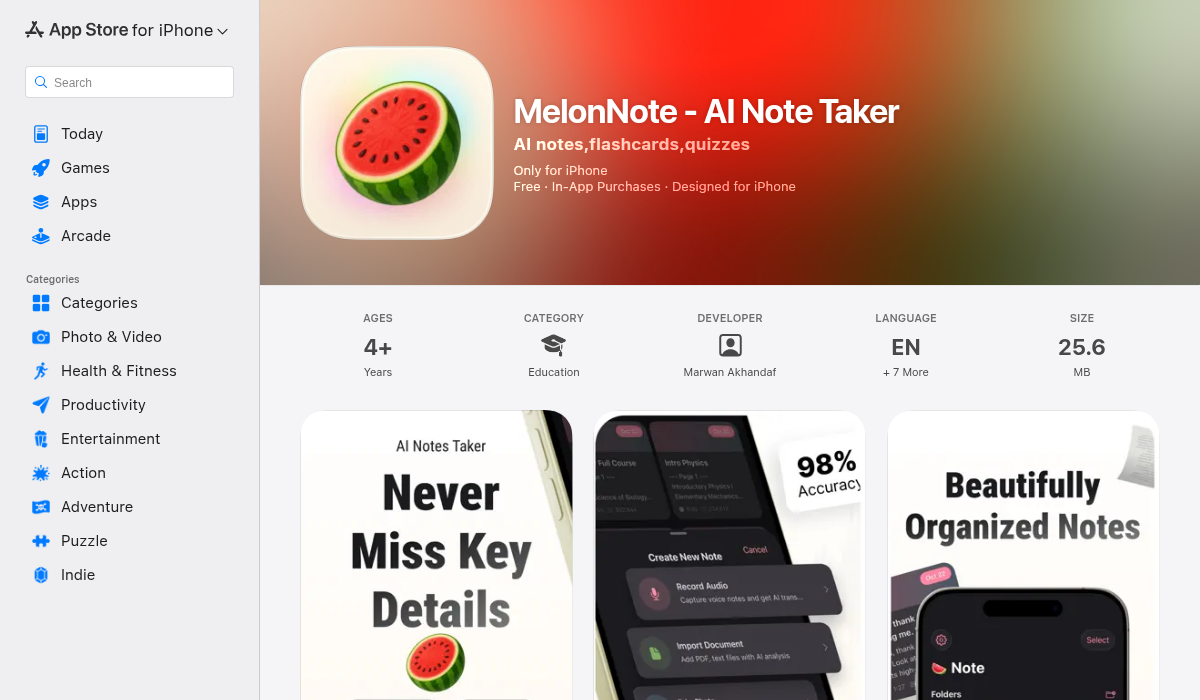
MelonNote is built specifically for students who want to record lectures and actually study from them. It combines recording, transcription, and AI study tools in one app.
Here's what makes it different:
- ✅ Record lectures with AI transcription (OpenAI Whisper)
- ✅ Auto-generate flashcards from your notes
- ✅ Auto-generate quizzes (MCQ, true/false, fill-in-blank)
- ✅ AI tutor chat — ask questions about your notes
- ✅ AI podcast generator — turns notes into listenable podcasts
- ✅ Realtime AI conversation — voice chat with an AI that knows your notes
- ✅ Import PDFs and photos too
- ✅ Affordable ($3.99/mo vs $10-20/mo for competitors)
The podcast feature is genuinely unique — no other note app turns your lecture notes into a 2-person podcast conversation you can listen to while commuting. It's like having a study podcast that covers exactly what you need to know.
The Verdict: Voice Notes + AI Wins
The old debate of writing vs typing misses the point. Both methods force you to split attention between capturing information and understanding it. With AI-powered voice recording, you can:
- Stay fully present during lectures
- Capture everything without missing details
- Generate study materials automatically
- Use active recall with AI-generated quizzes
- Review anywhere with AI podcasts
Pro Tips for Voice-Based Studying
- Position your phone well — Put it on your desk facing the professor for clearer audio
- Timestamp key moments — Take minimal notes marking important points ("15:20 - exam topic")
- Review within 24 hours — The forgetting curve is real; review your AI-generated summary the same day
- Use AI quizzes for active recall — Don't just re-read; test yourself
- Listen to AI podcasts during downtime — Commute, gym, walks all become study time
The Bottom Line
If you're still debating whether to type or write your notes, you're asking the wrong question. The best approach in 2026 is to record lectures, let AI handle transcription, and use AI tools to generate flashcards, quizzes, and study podcasts.
Apps like MelonNote make this workflow seamless — record once, and get a complete study system. Your notes become flashcards, quizzes, and even podcasts you can listen to while doing dishes.
Stop splitting your attention in lectures. Record, engage, and let AI turn your recordings into study gold.